What Is Offsite Disaster Recovery and Why Does Your Business Need It?
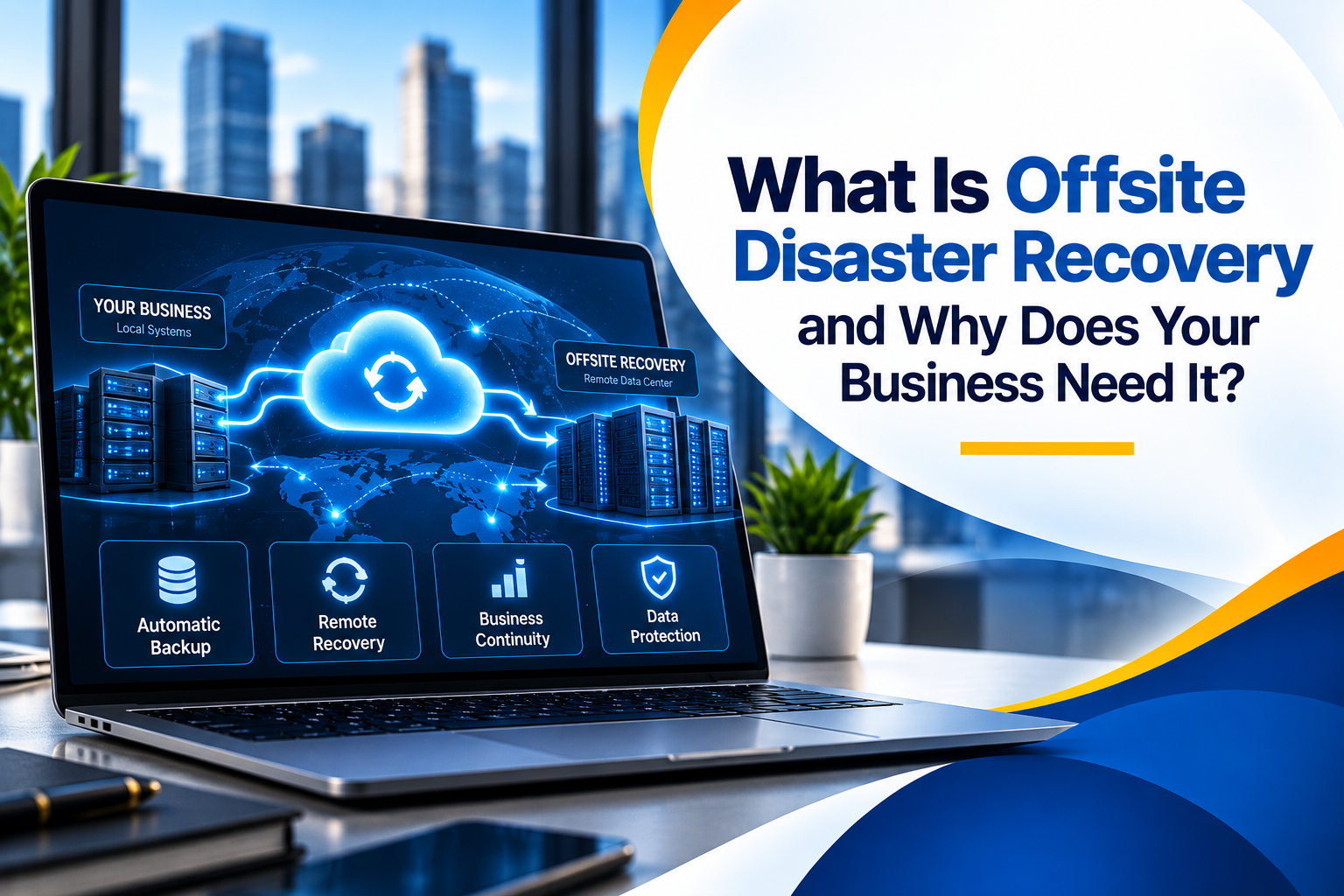
Offsite disaster recovery is the practice of keeping protected copies of your data and systems in a separate location, such as a secure data center or the cloud, so your business can restore operations when your office or primary systems become unavailable. It matters because a backup stored next to your servers can be lost in the same incident.
Picture a burst pipe flooding a server closet on a Monday morning. Within hours, a growing accounting firm loses access to client files, billing records, and email. Their backups exist, but they sit on a drive in the same room.
Situations like this are a reminder that having a backup and being able to recover are not the same thing. Fire, flooding, hardware failure, theft, ransomware, and simple human error can all take systems offline without warning, and when every copy of your data lives in one building, one event can affect all of them.
For businesses in Washington, DC, reliable access to data and systems is essential for maintaining daily operations, serving clients, and meeting deadlines. A law firm preparing a filing, a healthcare practice managing patient records, or a consulting firm delivering a client project needs a dependable way back when something goes wrong.
In this guide, Capitol Technology explains how offsite disaster recovery works, how it differs from ordinary backup, and what to look for in a provider so you can evaluate your current setup with confidence.
Identify gaps in your current offsite backup and recovery setup before they become a business disruption. Schedule a consultation call with Capitol Technology to review your recovery readiness and next steps for your Washington, DC business.
What Is Offsite Disaster Recovery?
Offsite disaster recovery is a strategy for restoring data, applications, and systems from a geographically separate location after an event disrupts your primary environment. Recovery copies are kept in a secondary data center, a secure colocation facility, or the cloud, so an incident at your office does not also remove your ability to recover.
The key idea is geographic separation. A fire, flood, theft, building-wide power outage, or ransomware attack that affects your office should not be able to reach the copies you plan to recover from. That separation is what turns a backup into a dependable recovery option.
Where cloud disaster recovery fits in
Cloud disaster recovery is one of the most common forms of offsite recovery for small and mid-sized businesses. Data and system images are replicated to a secure cloud environment. In an emergency, systems can be restored from the cloud, and with some solutions, key systems can run in the cloud temporarily while the primary environment is repaired. This gives smaller organizations access to resilient recovery options without maintaining a second physical site.
Offsite Backup vs. Offsite Disaster Recovery
Offsite backup stores copies of your data away from your primary location. Offsite disaster recovery uses those copies, along with defined processes and targets, to restore systems and operations within an acceptable time. Backup protects the data; disaster recovery restores the business.
It helps to think about three levels of protection. A local backup, such as a backup appliance or external drive in your office, is useful for quick everyday restores like recovering a deleted file. Offsite backup solutions and remote data backup services add a second copy in another location, which answers the question, "Do we still have our files if the office is affected?"
Offsite disaster recovery solutions go one step further and answer, "How quickly can we get the business running again?" That includes restoring servers, applications, user access, and connectivity, not just files. An offsite data backup is an essential ingredient, but recovery also depends on knowing what to restore first, how long it will take, and whether the process has been tested.
Why Does Your Business Need Offsite Disaster Recovery?
Your business needs offsite disaster recovery because the events most likely to take your systems offline can also destroy or lock any backups stored in the same place. A separate recovery copy gives you a way to restore operations even when your office, servers, or network are unavailable.
Physical events are the most obvious risk. A fire, a burst pipe, or a roof leak can damage servers and backup drives at the same time. Theft of equipment can remove both the original data and the local copy in one incident. Building-wide power problems or a prolonged loss of access to the office can leave staff unable to reach on-site systems even when the hardware is undamaged.
Technical failures matter just as much. Servers and storage devices eventually fail, and a failed backup appliance in the same rack offers little help. Human error, such as an accidental deletion, a misconfigured update, or an overwritten shared folder, can also spread across connected systems before anyone notices.
Ransomware is a particular concern for backup design. If backup storage is reachable from the same network with the same credentials, ransomware may be able to encrypt or delete it along with production data. An isolated or immutable offsite copy helps keep a clean recovery point available.
Whatever the cause, the business impact tends to look similar: billing and client work slow or stop, deadlines are put at risk, data may be difficult or impossible to recreate, and client confidence can suffer. For organizations that handle sensitive or regulated information, the ability to protect and restore data can also matter for contractual and compliance obligations. Offsite disaster recovery helps reduce these risks and supports business disaster recovery by making sure a usable copy exists outside the affected environment.
Hardware failure, human error, or ransomware can leave your business without a usable backup when you need it most. Schedule a consultation call with Capitol Technology to check whether your offsite recovery copy is protected, isolated, and ready for your Washington, DC business.
What Can Go Wrong Without Offsite Recovery?
Many businesses already have some form of backup, so it is fair to ask whether the current setup is enough. The answer usually depends on what happens during an actual recovery. These are common gaps that only become visible when a business needs its backups most.
Backups stored in the same location
An external drive on the server rack or a storage device in the same office offers little protection against fire, flooding, theft, or a building-wide outage. If the office is unavailable, the backups usually are too.
Backups that have never been tested
Backup jobs can report success while missing key folders, databases, or system settings. Some problems only appear during a restore. A backup that has never been restored is an assumption, not a recovery plan.
Recovery copies that are not isolated
When backup storage shares the same network access and administrator credentials as production systems, an attacker or a single mistake can affect both. Offsite copies are most useful when they have separate access controls and, ideally, immutable retention.
Unclear recovery priorities and expectations
When several systems are down at once, teams need to know which ones come back first. Leaders also tend to underestimate how long recovery takes, especially when large amounts of data must be restored over an internet connection. Without defined recovery targets, it is hard to tell whether the current offsite setup meets business needs.
Cloud apps assumed to be fully protected
Platforms such as Microsoft 365 are highly reliable, but reliability is not the same as recoverability. Accidental deletions, sync errors, or a compromised account can still remove or alter data. A separate offsite backup for cloud apps helps close that gap.
How Does Offsite Disaster Recovery Work?
Offsite disaster recovery works by regularly copying your data and systems to a protected, geographically separate location, then restoring from that location when your primary environment is unavailable. A well-run offsite recovery setup usually follows these stages.
- Assessment. Identify the systems and data the business depends on and set recovery targets. The Recovery Time Objective (RTO) is how long a system can be down before the impact becomes unacceptable. The Recovery Point Objective (RPO) is how much recent data you can afford to lose, which determines how often backups must run.
- Backup. Capture regular backups of servers, files, databases, and cloud apps, often with a local copy for fast everyday restores.
- Offsite replication. Send copies to a secure data center or cloud environment in a different location from your office.
- Protection and isolation. Encrypt data in transit and at rest, keep offsite copies separate from everyday network credentials, and use immutable storage where possible so backups cannot be altered or deleted during a retention period.
- Monitoring. Confirm that backup and replication jobs complete, and investigate failures promptly.
- Testing. Periodically restore files, servers, and applications from the offsite copy to confirm that recovery works and that RTO and RPO targets are realistic.
- Recovery. During an incident, restore priority systems from the offsite location first, then return to the primary environment once it is safe and repaired.
The 3-2-1 backup rule
A widely used guideline for disaster recovery backup is the 3-2-1 rule: keep at least three copies of your data, on two different types of storage, with one copy offsite. Many organizations extend this with an immutable or offline copy and regular, verified restore tests. The offsite copy is the part that protects you when the whole site is affected.
Offsite recovery works best when it is connected to your broader disaster recovery planning, which covers decision-making, communication, and how staff work during an outage. The offsite component ensures the technical foundation is there when that plan is put into action.
What Are the Benefits of Offsite Disaster Recovery?
The main benefit of offsite disaster recovery is a reliable path back to normal operations after an event that affects your primary site. That value shows up in several practical ways.
Business continuity and reduced downtime
With a tested offsite copy and clear recovery priorities, critical systems can be restored in a planned order instead of rebuilt from scratch. Some cloud-based solutions also allow key systems to run temporarily in the cloud, which helps staff keep working while the primary environment is repaired. This is a core part of business continuity and disaster recovery.
Stronger data protection and ransomware resilience
Encrypted, isolated, and immutable offsite copies give you a clean recovery point even if your main network is compromised. That improves your overall security posture and gives the business more options when responding to an incident.
Recovery readiness you can verify
Regular restore testing replaces assumptions with evidence. Leadership can see how long recovery actually takes and whether RTO and RPO targets are being met, which supports better decisions about investment and risk.
Predictable operations and costs
Modern data backup and recovery tools run automatically, monitor themselves, and alert IT staff when something fails, removing manual tasks like rotating drives. Cloud-based offsite recovery typically replaces the expense of a second physical site with a predictable recurring cost.
Scalability as the business grows
Offsite and cloud storage can expand as you add employees, data, and locations, and retention settings can be adjusted without buying new hardware. It also becomes easier to answer client security questionnaires and insurance applications when your recovery approach is documented and tested.
Why Washington, DC Businesses Should Consider Offsite Disaster Recovery
For Washington, DC businesses, reliable access to business data and systems is essential for maintaining daily operations, serving clients, and supporting business continuity. Many local organizations are professional services firms whose work depends on documents, email, and line-of-business applications being available when clients need them.
The specific concerns vary by industry. Law firms rely on case files, document management systems, and email to meet court and client deadlines, and they are responsible for protecting confidential information. Healthcare organizations need patient-related data to remain protected and available so care and administration can continue. Financial services firms depend on accurate, accessible client and transaction records.
Government relations firms and policy advisors work with client strategy, research, and correspondence that is difficult to recreate if lost. Construction, engineering, and consulting firms often manage large project files and drawings shared across teams and job sites, where losing access can delay work for several parties at once.
Across all of these organizations, the practical question is the same: if the office or primary systems became unavailable tomorrow, how quickly could the team get back to work, and from which copy of the data?
When to bring in professional support
Many small and mid-sized businesses in Washington, DC do not have staff dedicated to monitoring backups, testing restores, and keeping recovery documentation current. Those tasks are easy to postpone until something goes wrong. Professional support makes sense when backups have not been tested recently, when no one can say with confidence how long recovery would take, or when the business has grown and the original backup setup no longer reflects how it operates.
Capitol Technology can help organizations evaluate and improve their offsite backup and recovery approach as part of managed IT services in Washington, DC. Our data and network security services can also help protect backup systems with appropriate access controls, so recovery copies are better isolated from everyday threats.
How to Choose an Offsite Disaster Recovery Provider
The right offsite disaster recovery provider is one that can meet your recovery targets, protect your recovery copies properly, and show through regular testing that restores actually work. Storage price alone is a poor basis for the decision.
Start with an honest assessment
Before comparing providers, understand where your data lives today, which systems matter most, and how long the business can tolerate downtime. IT audit and consulting services can help map current backups, identify gaps, and set realistic recovery goals before you commit to a solution.
What to evaluate
- Recovery targets: Can the provider meet your RTO and RPO for each critical system, and explain how?
- Data protection: Is backup data encrypted in transit and at rest, isolated from your production credentials, and protected with immutable retention?
- Storage location: Where are offsite copies kept, and are there redundancy or data residency considerations for your industry?
- Recovery testing: How often are restores tested, and will you receive documented results?
- Cloud coverage: Are Microsoft 365 and other cloud apps included, or only on-premises systems?
- Monitoring: Who checks that backup and replication jobs complete, and how quickly are failures addressed?
- Responsibility during an incident: Who performs the recovery, and what does the business need to do?
- Industry understanding: Does the provider understand the data handling expectations of firms like yours?
Look for a partner who sees the whole picture
Offsite recovery depends on how your network, security, and cloud applications are set up. A provider who understands your broader IT environment can align recovery with how your business actually works and keep the setup current as the business changes.
Conclusion
Having a backup is not enough if that backup cannot help the business recover when the primary environment is unavailable. Offsite disaster recovery adds the geographic separation, isolation, and tested restore process that turn stored data into a realistic way back to normal operations after fire, flooding, hardware failure, theft, or ransomware.
For businesses across Washington, DC, the most useful next step is often a simple review: where your backups live today, how well they are protected, and how long recovery would actually take. Capitol Technology works with local organizations to answer those questions and strengthen their recovery readiness as part of practical, ongoing IT support.
Not sure how long your business would take to recover if your office went offline tomorrow? Schedule a consultation call with Capitol Technology to review where your backups live, how well they are protected, and what it would take to get your Washington, DC business back up and running.
Frequently Asked Questions About Offsite Disaster Recovery
What is offsite disaster recovery?
Offsite disaster recovery is the ability to restore your data, applications, and systems from a geographically separate location, such as a secure data center or the cloud, after an event disrupts your primary environment.
It combines offsite backups with recovery targets, protection measures, and regular testing, so an incident at your office does not also remove your ability to recover.
How much does offsite disaster recovery cost for a small business?
Cost depends on how much data you protect, how quickly you need to recover, how long backups are retained, and whether you need full system recovery or file-level restores. Cloud-based offsite solutions are usually billed on a recurring basis, which avoids the cost of maintaining a second physical site.
The most accurate way to estimate cost is to start with your recovery targets. Faster recovery and more frequent backups generally cost more, so it helps to set RTO and RPO by system rather than applying the strictest target to everything.
Do small businesses need offsite disaster recovery?
Most small businesses benefit from it. Smaller organizations often rely on a single office and a limited number of servers or cloud accounts, which means one incident can affect both their data and their local backups.
If your business depends on client files, financial records, email, or line-of-business applications, an offsite recovery copy is a practical safeguard. The right level of coverage depends on how long your business can tolerate downtime and how much data it can afford to lose.
How do I choose an offsite disaster recovery provider?
Look for a provider that can meet your recovery time and recovery point targets, encrypts and isolates backup data, uses immutable storage where appropriate, and tests restores on a regular schedule with documented results.
It also helps to work with a provider who understands your industry and your broader IT environment, including cloud applications, so recovery reflects how your business actually operates.
Is cloud backup the same as disaster recovery?
No. Cloud backup stores copies of your data in the cloud. Disaster recovery is the capability to restore systems, applications, and user access within an acceptable time.
Cloud backup is often part of a cloud disaster recovery approach, but on its own it may not bring operations back quickly enough. Recovery also depends on knowing what to restore first, how long it takes, and whether the process has been tested.