What Is Advanced Threat Protection and How Does It Protect Businesses?
A paralegal opens what looks like a routine invoice from a known vendor. The attachment seems harmless, the antivirus stays quiet, and nothing appears wrong. Two weeks later, the firm discovers that client files have been quietly copied to an outside server.
This is the kind of attack traditional security tools often miss, and it is why so many leaders are now asking what is advanced threat protection and whether their business needs it. Today's attackers use phishing emails, stolen passwords, and malware designed to slip past signature-based defenses. Small and mid-sized organizations are frequent targets because they hold valuable data but often lack a dedicated security team.
For businesses in Washington, DC, the stakes are higher than average. Law firms, policy advisors, government contractors, healthcare providers, and financial firms in the region handle sensitive information that attracts sophisticated attackers.
In this guide, Capitol Technology explains what advanced threat protection is, how it works, where tools like Microsoft Defender fit in, and how to choose the right approach for your organization. Capitol Technology helps DC businesses put these protections in place as part of a practical, well-managed security strategy.
One missed phishing email or unmonitored alert can put your client data, finances, and reputation at risk. Book a free 15-minute call with Capitol Technology to uncover the gaps in your security and get clear next steps for your Washington, DC business.
What Is Advanced Threat Protection?
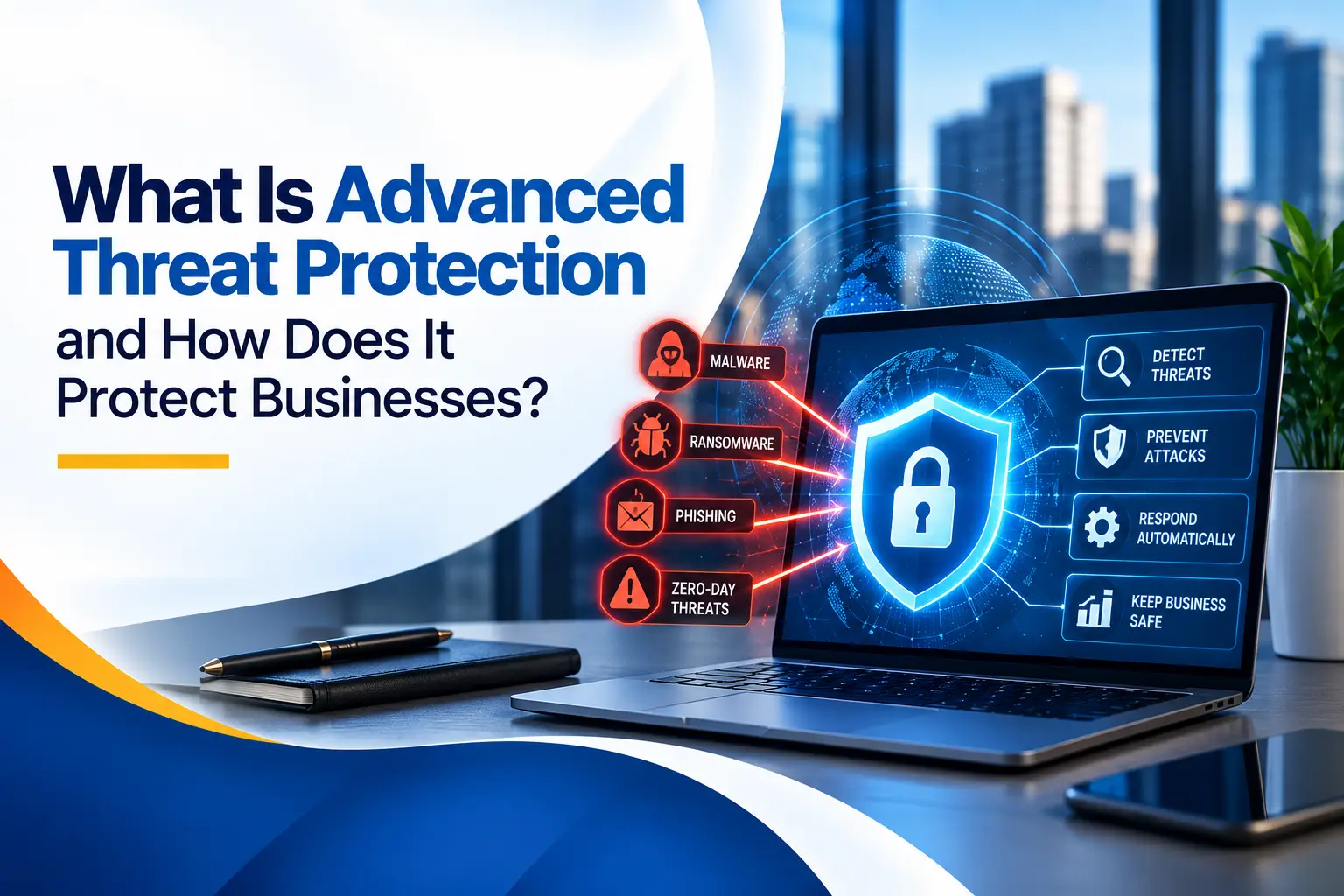
Advanced threat protection (ATP) is a set of security tools and practices that detect, analyze, and respond to sophisticated cyberattacks before they cause serious damage. It goes beyond traditional antivirus by examining behavior, not just known malware signatures. That allows it to catch new, targeted, and fast-changing threats.
In simple terms, traditional antivirus asks, "Have I seen this file before?" Advanced threat protection asks, "Is this file, link, login, or activity behaving like an attack?" That shift matters because many modern attacks use brand-new malware, legitimate-looking links, or stolen credentials that no signature database would recognize.
An advanced threat protection solution usually covers several layers of your environment:
- Email: scanning attachments and links before and after they reach the inbox
- Endpoints: monitoring laptops, desktops, and servers for suspicious behavior
- Identities: flagging unusual sign-ins, impossible travel, or misuse of accounts
- Cloud apps: watching for risky activity in platforms like Microsoft 365
Advanced threat protection vs. advanced threat prevention
You will see both terms used, sometimes interchangeably. Advanced threat prevention usually emphasizes stopping attacks at the entry point, such as blocking a malicious file at the firewall or email gateway. Advanced threat protection is broader. It includes prevention but also covers detection, investigation, and response after something gets through. For most businesses, the practical goal is the same: reduce the chance of a successful attack and limit the damage if one occurs.
Where Microsoft fits in
Many businesses first hear the term through Microsoft. Office 365 Advanced Threat Protection (O365 ATP) was Microsoft's email and collaboration security add-on. It is now called Microsoft Defender for Office 365. Similarly, Microsoft Defender Advanced Threat Protection is now Microsoft Defender for Endpoint. The names changed, but the purpose did not. These tools remain some of the most common ATP options for organizations already using Microsoft 365.
One missed phishing email or unmonitored alert can put your client data, finances, and reputation at risk. Book a free 15-minute call with Capitol Technology to uncover the gaps in your security and get clear next steps for your Washington, DC business.
Why Do Businesses Need Advanced Threat Protection?
Businesses need advanced threat protection because the most damaging attacks today are designed to get past basic defenses. A firewall and antivirus are still necessary, but they were built for a different era of threats.
Consider how most incidents actually start. An employee clicks a convincing link. A vendor's email account is compromised and used to send a fake payment request. A remote worker's laptop picks up malware on public Wi-Fi. None of these require breaking through a firewall. They exploit people, trust, and everyday workflows.
The business impact of a successful attack goes well beyond IT:
- Downtime: ransomware can halt billing, scheduling, and client work for days
- Financial loss: fraudulent wire transfers from business email compromise are often unrecoverable
- Reputation: clients and partners lose confidence when their data is exposed
- Compliance exposure: regulated industries may face reporting obligations, audits, or penalties
- Recovery costs: forensic investigation, legal counsel, and system rebuilds add up quickly
Advanced threat protection helps reduce these risks by catching suspicious activity earlier, often before a single file is encrypted or a single dollar leaves the account. It is not a guarantee against every attack, but it meaningfully improves your security posture and gives your team time to respond.
What Threats Does Advanced Threat Protection Help Stop?
Advanced threat protection is built for the attacks that cause the most real-world damage to small and mid-sized businesses. Here are the problems we see most often.
Phishing and credential theft
Phishing remains one of the most common entry points for attackers. Modern phishing emails often impersonate Microsoft login pages, shared document notifications, or trusted vendors. Once an employee enters their password, the attacker can sign in as that user. Email advanced threat protection helps by checking links at the moment they are clicked, not just when the email arrives.
Business email compromise (BEC)
In a BEC attack, a criminal impersonates an executive, client, or vendor to request a wire transfer or change payment details. These emails often contain no malware at all, which is why basic filters miss them. ATP tools use impersonation detection and sender analysis to flag these messages.
Ransomware
Ransomware encrypts files and demands payment to unlock them. Many strains now steal data first and threaten to publish it. Endpoint-level ATP can detect ransomware behavior, such as rapid file encryption, and isolate the affected device before the infection spreads.
Zero-day and unknown malware
A zero-day threat is one that security vendors have not yet seen. Signature-based antivirus cannot recognize it. ATP solutions use sandboxing and behavioral analysis to judge what a file does rather than what it looks like.
Hidden, slow-moving attacks
Some attackers stay inside a network for weeks, quietly collecting data. Without continuous monitoring, these intrusions can go unnoticed until the damage is done. ATP provides the visibility needed to spot unusual logins, data movement, and privilege changes.
The practical challenge: too many alerts, too few people
Even businesses that buy good security tools often struggle to use them well. Alerts pile up, settings stay at defaults, and no one has time to investigate. This is one of the most common gaps we find, and it is where professional support makes the biggest difference.
How Does Advanced Threat Protection Work?
Advanced threat protection works by combining prevention, detection, and response across email, devices, identities, and cloud apps. Most solutions follow the same basic cycle.
- Monitor continuously. The system collects signals from inboxes, laptops, servers, sign-ins, and cloud applications around the clock.
- Analyze behavior. Instead of relying only on known signatures, it looks for patterns that suggest an attack, such as a document launching hidden scripts or an account signing in from two countries within an hour.
- Detonate suspicious content safely. Unknown attachments and links are opened in a sandbox, an isolated virtual environment, to see what they actually do before they reach a user.
- Use threat intelligence. The solution draws on global data about active campaigns, malicious domains, and attacker techniques, so a threat seen elsewhere can be blocked for you too.
- Respond automatically. When something is confirmed as malicious, the system can quarantine an email, isolate a device, block a file, or force a password reset.
- Investigate and report. Security staff review alerts, trace how an incident started, close the gap, and document what happened.
How O365 Advanced Threat Protection protects email
For organizations on Microsoft 365, Advanced Threat Protection for Office 365, now Microsoft Defender for Office 365, adds several layers to standard email filtering:
- Safe Attachments opens attachments in a sandbox before delivery.
- Safe Links rewrites URLs and checks them each time they are clicked.
- Anti-phishing and impersonation protection flags messages pretending to be your executives, partners, or domain.
- Automated investigation and response (in higher plans) helps remove malicious messages from every inbox after the fact.
How Microsoft Defender for Endpoint protects devices
Microsoft Defender for Endpoint, formerly Microsoft Defender Advanced Threat Protection, focuses on laptops, desktops, and servers. It adds endpoint detection and response (EDR), attack surface reduction rules, and the ability to isolate a compromised machine remotely.
The key point for business owners: these features are powerful, but they need correct configuration and someone watching the alerts. A tool left on default settings delivers only part of its value.
One missed phishing email or unmonitored alert can put your client data, finances, and reputation at risk. Book a free 15-minute call with Capitol Technology to uncover the gaps in your security and get clear next steps for your Washington, DC business.
What Are the Benefits of Advanced Threat Protection for Businesses?
The main benefit of advanced threat protection is earlier detection and faster response, which helps limit the cost and disruption of an attack. The value shows up across several areas of the business.
Stronger security posture
ATP closes gaps that firewalls and antivirus leave open, especially around email, credentials, and unknown malware. Layered protection means one missed signal is less likely to become a full breach.
Less downtime and better productivity
Catching ransomware or a compromised account early can mean isolating one laptop instead of rebuilding an entire network. Employees spend less time dealing with spam, suspicious messages, and IT interruptions.
More efficient security operations
Automated investigation and response handle routine threats without manual effort. Your IT team, or your IT partner, can focus attention on the alerts that truly matter.
Predictable cost management
Many ATP tools are licensed per user and may already be part of your Microsoft 365 plan. Compared with the cost of downtime, fraud, or incident response, advanced threat protection is usually a modest, predictable investment.
Scalability as you grow
Cloud-based ATP scales with your headcount. New employees, devices, and offices can be brought under the same policies quickly, which is especially useful for growing firms and hybrid teams.
Support for compliance and client trust
Many clients, insurers, and regulators now expect controls such as email security, endpoint protection, and monitoring. ATP helps you demonstrate those controls and answer security questionnaires with confidence.
Why Washington, DC Businesses Need Professional ATP Support
Washington, DC businesses face a distinct threat profile because of the clients they serve and the information they hold. Proximity to federal agencies, policymakers, and regulated industries makes many local firms attractive targets for both financially motivated criminals and more sophisticated actors.
Here is how that plays out across common DC industries:
- Law firms hold privileged case files, settlement details, and client funds in trust accounts. A single compromised mailbox can expose years of confidential communication. Our IT services for law firms are built around these risks.
- Policy advisors and government relations firms handle sensitive legislative strategy and client relationships. Attackers often target them to gain insight into policy decisions. Learn more about our support for policy advisors and government relations firms.
- Healthcare organizations must protect patient information under HIPAA, and downtime can directly affect care. See our healthcare IT services.
- Financial services firms are prime targets for wire fraud and business email compromise. Our financial services IT support focuses on protecting transactions and client data.
- Consulting, engineering, and construction firms share plans, bids, and project documents with many outside parties, which creates more opportunities for impersonation and malicious attachments. We support consulting, engineering, and construction companies across the region.
Why tools alone are not enough
Most small and mid-sized DC organizations do not have an in-house security analyst. They may own Microsoft 365 licenses with ATP features but never configure them fully. Alerts arrive, but no one has the time or expertise to act on them.
Working with an experienced partner closes that gap. Capitol Technology's data and network security services help businesses configure advanced threat protection correctly, monitor it continuously, and respond quickly when something looks wrong. Combined with managed IT services in Washington, DC, that means your security tools are actively maintained, not just installed.
How to Choose the Right Advanced Threat Protection Solution and Provider
The right advanced threat protection solution is one that fits your existing technology, is configured properly, and is actively monitored. The product name matters less than how well it is implemented and managed.
Start with what you already have
If your business runs on Microsoft 365, you may already own some ATP capabilities, depending on your license. Business Premium and certain enterprise plans include Defender features that many organizations never fully enable. A good provider will review your current licenses before recommending new purchases. An IT audit is often the fastest way to see where you stand.
Questions to ask a potential provider
- Do you configure and tune the tools, or just license them? Default settings leave gaps.
- Who watches the alerts, and when? Ask about monitoring hours and response times.
- What happens during an incident? Look for a clear, documented response process.
- Do you understand my industry? A law firm and a construction company have different risks and compliance needs.
- How do you cover email, endpoints, and identities together? Protection works best when these layers share information.
- Will you train our staff? Phishing awareness training complements technical controls.
- How do you report results? You should receive clear updates in business terms, not just technical logs.
Look for a partner, not just a product
Advanced threat protection works best as part of a broader security plan that includes secure network design, patching, backups, multi-factor authentication, and ongoing user education. Choose a provider who looks at the whole picture and can explain trade-offs in plain language. For Washington, DC businesses, local knowledge and responsive support also matter when an incident needs fast attention.
Conclusion: Strengthen Your Defenses With Expert Advanced Threat Protection
So, what is advanced threat protection in practical terms? It is the layer of security that watches for the attacks basic tools miss: convincing phishing emails, compromised accounts, ransomware, and brand-new malware. For businesses that depend on email, cloud apps, and remote access, it has become a core part of a responsible security strategy.
The technology is only half the equation. Correct setup, continuous monitoring, and fast response are what turn an ATP license into real protection.
One missed phishing email or unmonitored alert can put your client data, finances, and reputation at risk. Book a free 15-minute call with Capitol Technology to uncover the gaps in your security and get clear next steps for your Washington, DC business.
Frequently Asked Questions About Advanced Threat Protection
What is advanced threat protection in simple terms?
Advanced threat protection is security technology that detects and stops sophisticated cyberattacks that traditional antivirus may miss. It looks at how files, links, and user accounts behave, rather than relying only on a list of known threats.
Think of traditional antivirus as a guard checking IDs against a watch list. Advanced threat protection is more like a guard who also notices when someone is acting suspiciously, even if their name is not on any list. That makes it far better at catching new malware, targeted phishing, and attacks that use stolen credentials.
How much does advanced threat protection cost, and how long does it take to implement?
Cost depends on the number of users, the platforms you use, and the level of monitoring you need. Many solutions are licensed per user per month. If you already use Microsoft 365, some advanced threat protection features may be included in your current plan or available as an add-on, so it is worth reviewing your licenses first.
Implementation for a small or mid-sized business typically involves a review of your environment, policy configuration, testing, and user communication. A well-planned rollout is usually measured in weeks rather than months. Ongoing monitoring and tuning are separate from initial setup and are where much of the long-term value comes from.
Is advanced threat protection necessary for small businesses?
In most cases, yes. Small businesses are frequent targets because attackers expect weaker defenses, and the same phishing and ransomware campaigns that hit large enterprises reach small firms too.
If your business uses email, stores client or financial data, accepts payments, or supports remote employees, advanced threat protection is a sensible investment. The question is usually not whether you need it, but how much coverage fits your risk level, budget, and compliance requirements.
How do I choose the right advanced threat protection provider?
Look for a provider that will assess your current environment, configure tools properly, monitor alerts, and respond quickly to incidents. Ask who reviews alerts, what their response process looks like, and how they report results to leadership.
Industry experience also matters. A provider familiar with law firms, healthcare, financial services, or government-related work will understand your compliance obligations and the specific threats your sector faces. Finally, choose a partner who explains security in clear business terms, so you can make informed decisions.
Is Microsoft Defender enough, or do I need additional protection?
For many Microsoft 365 organizations, Microsoft Defender for Office 365 and Defender for Endpoint provide strong advanced threat protection when they are properly licensed and configured. The most common problem is not the tool itself but incomplete setup and a lack of active monitoring.
Some businesses add complementary layers, such as security awareness training, dedicated backup and recovery, or third-party monitoring services, depending on their risk and regulatory requirements. A professional security review can show whether your current Microsoft tools are being used to their full potential and where real gaps remain.