QR Code Phishing Is Surging: How Businesses Can Protect Employees From Quishing Attacks
QR codes are part of daily business life. Employees use them to open documents, join events, confirm deliveries, and complete account setup. Because scanning feels familiar, many people act before checking the destination.
Cybercriminals exploit that trust by placing malicious links inside QR codes. This form of QR code phishing is called quishing.
A phishing attack can expose passwords, session tokens, financial details, and company data. Therefore, businesses need protection before and after a code is scanned.
What Is QR Code Phishing?
QR code phishing hides a malicious destination inside a scannable image. The code may appear in an email, attachment, text, package, poster, invoice, or sign.
After scanning, the employee reaches a fake website or harmful download. The page may imitate Microsoft 365, a bank, a delivery company, or an HR portal. It then requests a sign-in, payment, approval, or download.
The destination is invisible within the image. Moreover, a small phone screen can hide warning signs.
Why Are Quishing Attacks Increasing?
QR codes are useful to attackers for several reasons.
First, a QR code turns an address into an image. Traditional email filters mainly inspect visible links and text. Although security platforms have improved, image-based links can make detection harder.
Second, scanning moves employees from managed computers to phones that may lack company web filtering, monitoring, and security policies.
Third, QR codes create urgency. A message may claim that MFA expires today, a document needs review, or a payment failed.
Finally, criminals can change codes quickly and use redirects to hide the final phishing site.
Microsoft has described a significant rise in these campaigns. At one peak, Microsoft Defender for Office 365 blocked up to three million QR code phishing attempts daily.
How Does a Quishing Attack Work?
Most quishing attacks follow a simple sequence.
1. The Attacker Delivers the QR Code
The attacker sends a message that appears trustworthy. The QR code may sit inside the email, an image, or a PDF attachment.
Physical delivery is also possible. The FBI has warned about unsolicited packages containing QR codes linked to fraudulent sites or malware.
2. The Employee Scans the Code
The code opens a site on the employee’s phone. Redirects may hide the final destination and collect device information.
3. A Fake Page Requests Action
The page may copy a familiar service and request a password, MFA code, payment card, or security approval.
4. The Attacker Uses the Information
Attackers may use stolen credentials to access email, cloud files, financial systems, or applications. Stolen session tokens may also bypass traditional MFA.
A January 2026 FBI alert on malicious QR code spearphishing described mobile credential pages, session theft, and compromised mailboxes in targeted campaigns.
Common QR Code Phishing Lures
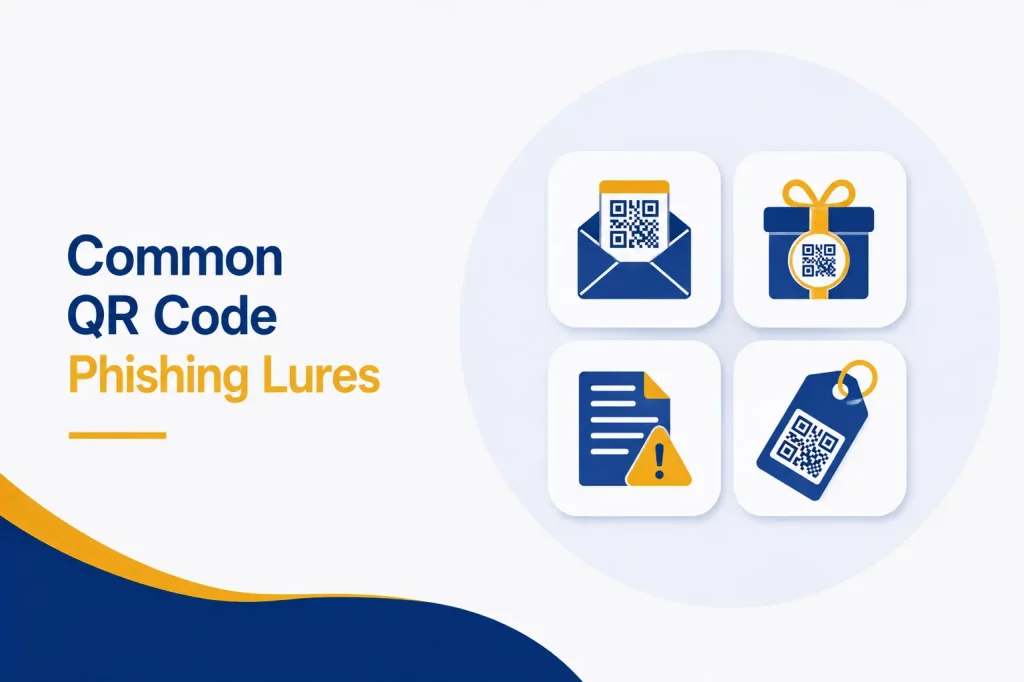
Attackers often build messages around normal business activities. Common examples include:
● A Microsoft 365 password or MFA update
● A shared document waiting for review
● An unpaid invoice or failed payment
● A package delivery problem
● A meeting invitation or event registration
● A benefits, payroll, or HR announcement
● A secure voicemail notification
● A request from an executive or vendor
● A parking notice or building access update
Familiar logos and professional formatting can make these requests appear legitimate.
Why Employees Can Miss the Warning Signs
Quishing removes familiar warning signs. Employees cannot hover over a QR code to inspect its address. In addition, the page opens on another device, away from the original message.
Mobile screens show less information, so deceptive domains are easy to overlook. Employees may also trust a code because its email reached the inbox.
The problem is not simply carelessness. The attack creates trust, urgency, and distraction. Therefore, training should teach verification, not merely tell users to be careful.
What Can a Quishing Attack Cost a Business?
One scan can cause:
● Compromised Microsoft 365 or cloud accounts
● Business email compromise and payment fraud
● Stolen files, contacts, or customer information
● Unauthorized password or MFA changes
● Malware on mobile or business devices
● Phishing messages sent from a trusted mailbox
● Operational disruption and recovery costs
● Legal, regulatory, or reporting obligations
● Damage to customer and partner trust
An attacker may remain after a password change. A stolen session, mailbox rule, added authentication method, or unauthorized application can preserve access.
How Businesses Can Prevent QR Code Phishing
No single security control can stop every attempt. A layered approach provides stronger protection.
Train Employees for QR Code Threats
Include quishing in cybersecurity training. Show examples from email, attachments, texts, signs, and packages. Teach employees to treat unexpected codes like unexpected links.
Employees should verify unusual requests separately, such as by calling the sender through a known number.
Strengthen Email Protection
Use email security that analyzes images, extracts QR destinations, inspects attachments, and evaluates redirects. Maintain anti-phishing, impersonation, and domain authentication controls.
Microsoft has added QR detection, image processing, hunting, and simulation to Defender for Office 365. Still, organizations must correctly enable and monitor available protection.
Protect Mobile Devices
Mobile device management can enforce updates, screen locks, approved apps, and security settings. Mobile threat protection and web filtering can inspect suspicious destinations.
If personal devices access company data, establish clear rules. Otherwise, attacks may enter an area with limited business visibility.
Use Phishing-Resistant MFA
Traditional MFA codes can be captured or relayed. Passkeys, FIDO2 security keys, and Windows Hello provide stronger resistance because authentication connects to the legitimate service.
Prioritize it for administrators, executives, finance teams, remote access, and sensitive systems.
Limit Access and Monitor Accounts
Quishing becomes more damaging when one stolen account has broad access. Apply least privilege so employees receive only the systems required for their roles.
In addition, monitor unusual sign-ins, new inbox rules, unexpected MFA changes, unfamiliar devices, risky application consent, and large file downloads. Alerts should reach someone who can investigate.
Regularly review dormant accounts, administrator roles, and external access. These controls may not prevent the first scan, but they can reduce the attacker’s reach and reveal a compromise sooner.
Make Reporting Simple
Give employees an obvious, blame-free reporting method. Early alerts let IT block sites, remove messages, review sign-ins, and warn others.
CISA’s phishing guidance also supports combining training, secure configurations, and detection instead of relying on users alone.
Prepare an Incident Response Process
Document the response to a suspicious scan. It may include isolating a device, resetting credentials, revoking sessions, reviewing MFA, removing mailbox rules, and checking account activity.
Fast action can contain a potential compromise.
Protect Your Own QR Codes
Control the QR codes your business publishes. Keep an inventory, use approved generators, secure destination accounts, and review codes regularly. Check physical signs for fraudulent stickers.
Where possible, print the expected company domain beside the code.
What Should an Employee Do After Scanning a Suspicious Code?
The employee should close the page and report the event immediately. They should explain whether they entered a password, approved MFA, downloaded a file, or provided financial information.
They should not investigate alone. IT can preserve details, assess the device, revoke sessions, reset credentials, and check for unauthorized changes.
If financial data was entered, contact the bank or card provider. Exposed sensitive information may also require legal, compliance, insurance, or law enforcement action.
How Capitol Technology Can Help?
Capitol Technology can assess email security, Microsoft 365, mobile controls, identity policies, employee training, and incident response readiness.
We can identify configuration gaps, implement phishing-resistant MFA, improve reporting, and monitor suspicious activity. As a result, your organization gains protection across email, devices, identities, and users.
Conclusion
QR codes are convenient, but convenience can create misplaced trust. Quishing hides harmful links inside familiar images and moves employees to devices where protection may be weaker.
Respond with layered security. Train employees, inspect email, manage mobile access, deploy phishing-resistant MFA, simplify reporting, and prepare for incidents.
Most importantly, employees should report mistakes quickly. An early warning helps protect accounts, data, and operations.
Ready to strengthen your defenses against QR code phishing? Contact Capitol Technology for a cybersecurity assessment and practical protection plan.
Frequently Asked Questions
What Is the Difference Between Phishing and Quishing?
Phishing uses deceptive messages to steal information or deliver malware. Quishing uses a QR code to hide the malicious link.
Can a QR Code Infect a Phone?
Scanning usually opens a destination rather than infecting the phone itself. However, that site may request dangerous permissions, deliver malware, exploit a vulnerability, or steal information.
How Can Employees Check a QR Code Safely?
Employees should confirm the source and review the destination preview. They should avoid unfamiliar shortened domains and never enter credentials after scanning an unexpected code.
Does MFA Stop QR Code Phishing?
Traditional MFA reduces risk but may be bypassed through code or session theft. Passkeys and FIDO2 security keys provide stronger protection.