How to Choose a Managed IT Service Provider: 10 Things to Look For
Technology affects almost every part of a modern business. Employees need reliable devices, secure access, responsive support, stable networks, protected data, and systems that can grow with the organization.
However, many small and mid-sized businesses do not have the time or internal staff to manage everything alone. A managed IT provider can fill that gap by delivering ongoing support, monitoring, maintenance, security, and technology planning.
The challenge is finding the right partner. Providers may offer similar service descriptions while delivering very different levels of support, transparency, security, and strategic value.
Learning how to choose a managed IT service provider requires more than comparing monthly prices. You need to understand what is included, how the provider operates, how quickly it responds, how it protects your environment, and what happens when something serious goes wrong.
This guide explains ten factors to evaluate, the questions to ask a managed IT provider, the warning signs to avoid, and how to compare finalists using a practical managed IT provider checklist.
What Is a Managed IT Service Provider?
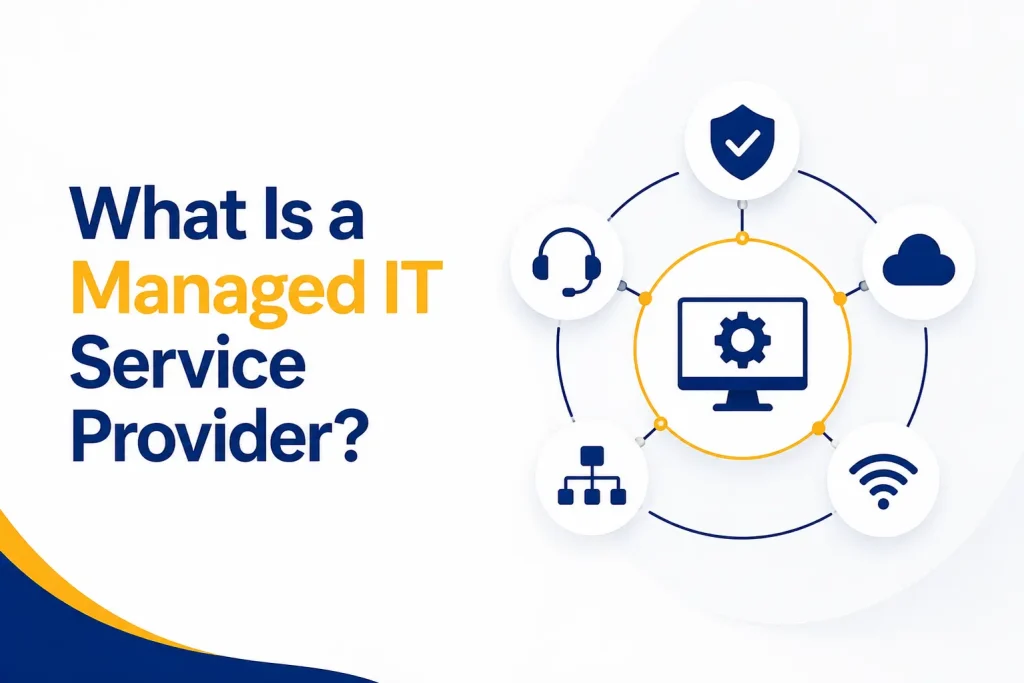
A managed IT service provider, often called an MSP, takes ongoing responsibility for agreed parts of a business’s technology environment. The relationship is usually built around a recurring service agreement rather than separate invoices whenever something breaks.
Depending on the agreement, managed services may include:
● Help desk support
● User onboarding and offboarding
● Device and server monitoring
● Patch and update management
● Microsoft 365 or cloud administration
● Network management
● Cybersecurity controls
● Backup monitoring
● Vendor coordination
● Technology planning and budgeting
An IT support provider may offer only reactive assistance. A managed IT provider should combine responsive support with prevention, oversight, documentation, and forward planning.
That distinction is important. A provider that fixes individual problems can be useful, but it may not be managing the environment as a connected system. Before comparing companies, define whether your business needs occasional technical help, co-managed support for an internal team, or a fully managed relationship.
Why Managed Service Provider Selection Matters
An MSP may receive administrator privileges, remote access, security alerts, network information, and visibility into sensitive business systems. Therefore, choosing a managed IT provider is also a security and supply-chain decision.
NIST’s cybersecurity supply-chain guidance recommends identifying, assessing, and managing risks associated with technology products and services throughout the relationship. The responsibility does not disappear because work is outsourced.
A poor fit can lead to slow support, unclear accountability, weak security, hidden fees, outdated systems, difficult contract exits, or repeated disruption. A strong provider should improve stability and make technology easier to understand.
The best managed IT service provider for your organization is not automatically the biggest or the cheapest. It is the provider whose capabilities, processes, communication, security, and service model align with your real needs.
1. Experience That Matches Your Business Start by examining whether the provider understands environments like yours.
General technical ability matters, but context matters too. A law firm may prioritize document confidentiality and fast access. A healthcare organization may have strict privacy requirements. A government contractor may need support for contract-driven cybersecurity obligations. A growing consulting company may depend on secure remote work and rapid onboarding.
Ask about:
● Clients of a similar size
● Experience in your industry
● Support for your main applications
● Multi-location and remote-work experience
● Relevant compliance knowledge
● Examples of complex problems the team has solved
● The qualifications and experience of the people who will support you
Do not rely only on logos or broad claims. Ask the provider to explain how its experience changes the way it would manage your organization.
References can also help. When appropriate, speak with a current client whose needs resemble yours. Ask about response quality, communication, onboarding, recurring problems, and whether the relationship remained strong after the sales process ended.
2. A Clear Scope of Services and Responsibilities
Managed IT contracts often use broad terms such as “unlimited support,” “proactive monitoring,” or “complete IT management.” Those phrases are not useful unless the agreement defines them.
Request a clear service scope showing:
● Supported users, devices, locations, and systems
● Included help desk work
● On-site and remote support terms
● Supported hours and after-hours procedures
● Patch and maintenance responsibilities
● Cybersecurity tools and services
● Backup monitoring and restore support
● Projects that cost extra
● Hardware and software procurement terms
● Responsibilities kept by your internal team
● Responsibilities assigned to other vendors
The agreement should also explain exclusions. For example, “unlimited support” may exclude major projects, office moves, new system implementations, cabling, or after-hours work.
During managed service provider selection, ask each company to describe what happens in realistic situations. If an employee cannot sign in, is that included? If a server fails, who coordinates recovery? If a vendor blames the network, who owns the problem?
A dependable provider should be comfortable putting responsibilities in writing.
3. Measurable Service Levels and Responsive Support
Fast, useful support is one of the main reasons businesses hire an MSP. However, “fast response” can mean different things.
A service-level agreement should distinguish between:
● Initial acknowledgement
● Time to begin work
● Target resolution time
● Service restoration
● Update frequency
● Escalation procedures
Priority definitions should also be clear. A company-wide outage is different from one employee requesting a software installation. Confirm how priority is assigned and who can escalate an urgent issue.
Questions should include:
● Is support delivered by employees or outsourced?
● Is the help desk local, remote, or distributed?
● What support channels are available?
● What happens outside normal business hours?
● How are unresolved tickets escalated?
● Will users receive regular progress updates?
● How is satisfaction measured?
Ask for recent performance data if available. Useful reports might show response times, resolution times, ticket volume, recurring categories, and customer satisfaction.
An MSP should not treat every ticket as an isolated event. Repeated issues should lead to root-cause analysis and a plan to prevent recurrence.
4. Strong Cybersecurity Practices
An MSP may hold privileged access across many customer systems. That access makes the provider’s own security important as well as the controls it deploys for you.
CISA has published specific guidance for protecting MSPs and their customers. It emphasizes controls such as multifactor authentication, least privilege, separation of internal and customer environments, logging, monitoring, and clear responsibility between providers and clients.
Ask a potential provider how it protects:
● Technician and administrator accounts
● Remote-management tools
● Passwords, secrets, and API keys
● Customer documentation
● Security logs
● Backup administration
● Employee devices
● Access after a staff member leaves
Also ask which protections are included for your business. The NIST Cybersecurity Framework 2.0 Small Business Quick-Start Guide organizes cybersecurity around six functions: Govern, Identify, Protect, Detect, Respond, and Recover. A provider’s security service should address all six rather than focusing only on antivirus.
Depending on risk and licensing, coverage may include identity security, endpoint detection and response, email protection, vulnerability management, security awareness training, log monitoring, and incident response.
Ask for written evidence where appropriate. Relevant documents may include security policies, insurance coverage, independent assessments, certifications, penetration-test summaries, or compliance reports. No single certificate proves that a provider is secure, but vague answers are a warning sign.
5. Proactive Monitoring, Maintenance, and Documentation
A managed service should reduce avoidable problems, not simply wait for tickets. Ask how the provider handles:
● Operating-system and application patching
● Hardware health
● Storage capacity
● Endpoint protection status
● Failed backups
● Expiring warranties and certificates
● Network availability
● Unsupported software
● Recurring ticket trends
The U.S. Small Business Administration’s cybersecurity guidance recommends keeping software updated, using strong authentication, restricting privileges, securing networks, and backing up important data. Your provider should be able to show how these routine protections are implemented and verified.
Documentation is equally important. The MSP should maintain an accurate inventory of devices, applications, vendors, licenses, administrators, networks, and important procedures. Your business should not depend on one technician’s memory.
Ask who owns the documentation and whether you can receive an export. Essential business information should remain available if the relationship changes.
Proactive service does not mean claiming that problems will never occur. It means detecting warning signs, reducing preventable issues, maintaining clear records, and acting before small problems become major disruptions.
6. Strategic Planning and the Ability to Scale
Technology decisions should support the business rather than simply keeping old systems running.
A strong managed IT provider should learn about your goals, risk tolerance, work patterns, budget, and expected growth. It should then provide recommendations that connect technical work to business outcomes.
Strategic support may include:
● Technology roadmaps
● Annual or quarterly planning meetings
● Hardware replacement schedules
● License optimization
● Cloud strategy
● Security priorities
● Budget forecasting
● Support for office openings or acquisitions
● Planning for compliance requirements
● Business continuity improvements
Ask who provides strategic guidance and how frequently reviews occur. Some providers advertise a virtual CIO service but deliver only a sales meeting or automated report.
The provider should also be able to scale without reducing service quality. Ask how it would support a larger headcount, another office, more remote employees, or a new cloud system.
When deciding how to choose an MSP, look for a partner that can support today’s environment while preparing for tomorrow’s needs. The goal is not more technology. It is better-aligned technology.
7. Appropriate Tools, Access Controls, and Vendor Management
Most MSPs use remote monitoring, ticketing, documentation, backup, security, and automation platforms. Ask which tools the provider uses and why.
Important questions include:
● What data do the tools collect?
● Where is customer information stored?
● How is administrator access secured?
● Are technicians assigned individual accounts?
● Are privileged actions logged?
● How are integrations reviewed?
● Who removes access when a technician leaves?
● What happens to agents and data when the contract ends?
The provider should apply least privilege and require strong authentication for remote access. Shared administrator accounts with unclear accountability are a serious concern.
Vendor coordination also matters. A capable IT support provider should be able to work with internet carriers, software vendors, equipment manufacturers, cloud platforms, and other specialists. However, the contract should clarify whether the MSP takes ownership of coordination or merely supplies contact information.
Avoid unnecessary lock-in. Your business should understand who owns hardware, domains, cloud tenants, subscriptions, configurations, and administrative credentials.
Wherever practical, core assets should be registered to the client rather than controlled only through the provider.
8. Tested Backup, Disaster Recovery, and Incident Response
Backup and recovery promises deserve careful examination. A green dashboard does not prove that a business can recover within the time it needs.
Ask the provider:
● Which systems and data are backed up?
● How often do backups run?
● Where are copies stored?
● How are backups protected from attackers?
● How long is data retained?
● Who reviews failed jobs?
● How frequently are restores tested?
● What recovery times are expected?
● Which systems will be restored first?
● Is Microsoft 365 or other SaaS data included?
Recovery requirements should be based on business impact. Define how much data the organization can afford to lose and how long critical operations can remain unavailable.
Incident response needs the same clarity. NIST’s current incident-response recommendations integrate preparation, detection, response, and recovery into overall cybersecurity risk management. Your provider should explain who investigates, who contains the threat, who communicates, and which specialist services are included.
Ask whether the MSP participates in exercises. A tabletop test can reveal missing contact details, unclear authority, unavailable backups, or unrealistic assumptions before a real incident occurs.
9. Transparent Pricing and Fair Contract Terms
Price matters, but the lowest proposal may not include the same service, security, or risk coverage.
Compare each proposal using the same assumptions:
● Number of users and devices
● Included support hours
● On-site work
● Security tools
● Backup services
● Cloud administration
● Strategic planning
● Projects and onboarding
● After-hours support
● Annual price increases
Ask what can trigger additional charges. Common examples include office moves, major upgrades, new-user equipment, cybersecurity incidents, vendor projects, and work outside agreed hours.
Review the term length, renewal process, cancellation notice, price changes, limitation of liability, insurance, data handling, and transition assistance. Your legal adviser should review important agreements, especially when the provider will access regulated or confidential information.
The FTC’s Safeguards Rule guidance, which applies to covered financial institutions, provides a useful principle for vendor oversight: select service providers with suitable skills, state security expectations in contracts, monitor their work, and reassess their suitability. Other organizations can use the same logic even when that specific rule does not apply.
Fair pricing should be predictable and explainable. A provider should not need confusing fees or contract traps to retain a client.
10. Clear Communication, Reporting, and Cultural Fit
Technical skill alone does not create a strong working relationship. Your provider must communicate with employees, managers, executives, vendors, and sometimes legal or insurance teams.
Look for communication that is:
● Clear instead of unnecessarily technical
● Honest about uncertainty and risk
● Consistent during long-running issues
● Respectful toward employees
● Focused on business impact
● Documented when decisions matter
Ask who will manage the relationship. Some MSPs provide a dedicated account manager, while others route every request through a general queue. Either model can work if ownership is clear.
Reporting should lead to decisions. Useful reviews may cover recurring issues, security events, backup results, device health, licensing, upcoming replacements, open risks, and roadmap progress. A long automated report without explanation provides limited value.
Pay attention during the sales process. Does the provider ask thoughtful questions? Does it explain tradeoffs? Does it acknowledge when more information is needed? The behavior you see before signing may indicate how the company will communicate later.
Questions to Ask a Managed IT Provider Use the following questions during initial discussions and final evaluations:
● Which services are included in the monthly agreement?
● What work is excluded or billed separately?
● Who answers support requests?
● What are your response and escalation targets?
● How do you protect privileged and remote access?
● Which security services are included?
● How do you patch and monitor systems?
● How do you test backups and recovery?
● What happens during a cybersecurity incident?
● How do you support compliance requirements?
● Who owns our documentation, accounts, and configurations? ● How often will we receive strategic reviews?
● Can services scale as our business changes?
● What is the onboarding process?
● What happens when the agreement ends?
Do not judge answers only by confidence. Look for clear processes, written commitments, realistic limitations, and evidence that supports important claims.
Red Flags When Choosing a Managed IT Provider Be cautious if a provider:
● Recommends a contract before assessing your environment ● Refuses to define what is included
● Promises that breaches or downtime can never happen
● Cannot explain how administrator access is protected
● Uses shared accounts without clear accountability
● Provides no written service levels or escalation process
● Treats backup success as proof of recoverability
● Avoids questions about incident response
● Cannot provide documentation if the relationship ends
● Pushes every client toward the same tools without explaining the fit ● Hides pricing assumptions or exit costs
● Focuses on products rather than business needs
● Communicates poorly during the evaluation process
A single concern may have a reasonable explanation. Several vague or evasive answers suggest that the relationship may become difficult after signing.
How to Compare Managed IT Providers
Create a scorecard before reviewing final proposals. This helps prevent price or presentation style from controlling the decision.
Suggested categories include:
● Relevant experience
● Service scope
● Support model
● Service levels
● Cybersecurity
● Monitoring and maintenance
● Backup and recovery
● Strategic planning
● Technology and vendor management
● Reporting and communication
● Pricing transparency
● Contract flexibility
● References
Weight the categories according to business risk. For example, a healthcare organization may give security and compliance more weight, while a rapidly expanding company may prioritize onboarding and scalability.
Ask each finalist to respond to the same scenarios. Consistent questions make differences easier to see.
Do not select solely from written proposals. Meet the people who will manage the account and, if possible, someone responsible for support or technical leadership.
Managed IT Provider Checklist
Before signing, confirm that the provider offers:
● Experience relevant to your size and industry
● A clearly defined service scope
● Written response and escalation expectations
● Strong controls for privileged and remote access
● Proactive monitoring and patch management
● Accurate, accessible documentation
● Backup monitoring and tested recovery
● A defined cybersecurity incident process
● Strategic planning and budgeting support
● Transparent pricing and exclusions
● Clear ownership of accounts and data
● Practical exit and transition assistance
● References from comparable clients
● Communication that fits your organization
This checklist should support judgment rather than replace it. The final decision should consider both documented capability and the working relationship your team is likely to experience.
How Capitol Technology Can Help
Capitol Technology’s managed IT services combine responsive user support, proactive monitoring, security oversight, maintenance, and long-term technology planning for businesses in Washington, DC and surrounding markets.
We begin by learning how your organization operates, what systems it depends on, where current frustrations exist, and which risks matter most. We then develop a practical service approach based on your users, devices, applications, locations, and goals.
Where broader protection is needed, our data and network security services can support identity security, endpoint protection, email security, network monitoring, threat response, and backup readiness.
Our goal is to make technology easier to manage while giving your business clearer support, stronger protection, and a more reliable plan for growth.
Conclusion
Knowing how to choose a managed IT service provider starts with understanding what your business needs and how each provider will take responsibility for delivering it.
Look beyond the monthly fee. Evaluate experience, service scope, response commitments, security, proactive management, strategy, access controls, recovery, contract terms, and communication. Ask difficult questions before the agreement begins, when you still have the strongest ability to compare options.
The right managed IT provider should do more than close tickets. It should reduce recurring problems, improve visibility, protect important systems, support employees, and help leadership make better technology decisions.
Ready to evaluate your current IT support or explore a managed approach? Contact Capitol Technology for a practical conversation about your environment, priorities, and next steps.
Frequently Asked Questions
What Should I Look for in a Managed IT Provider?
Look for relevant experience, clearly defined services, measurable support expectations, strong cybersecurity, proactive monitoring, tested recovery, transparent pricing, strategic guidance, and clear communication. The provider should also explain how it protects privileged access and how it will return documentation and data if the relationship ends.
What Questions Should I Ask an MSP?
Ask what is included, what costs extra, who provides support, how tickets are prioritized, how administrator access is protected, how backups are tested, what
happens during an incident, who owns documentation, and how the provider supports future growth.
How Do I Compare Managed IT Providers?
Use a weighted scorecard and give every finalist the same business scenarios. Compare service scope, security, support, recovery, strategy, pricing, contract terms, references, and communication. Meet the people who will manage and support the relationship before deciding.
What Are the Red Flags When Choosing an MSP?
Warning signs include vague service descriptions, hidden fees, unrealistic guarantees, weak answers about security, no documented escalation process, untested backups, poor documentation ownership, difficult exit terms, and pressure to sign before the provider understands your environment.