Backup and Disaster Recovery Services in Washington DC
Your backup software says last night’s job was successful. That is reassuring, but it does not answer the most important question: can your business restore the right data and resume operations when something goes wrong?
A completed backup job confirms that a process ran. It does not necessarily prove that every required file was included, the copied data is usable, recovery credentials are available, or an entire system can be restored within an acceptable timeframe.
That is why backup recovery testing matters. It turns an assumption into evidence by restoring data, checking its integrity, measuring recovery time, and documenting whether the recovery process actually works.
For businesses in Washington, DC, reliable recovery can protect client service, deadlines, financial activity, regulated information, and daily operations. A strong backup and disaster recovery strategy must do more than store copies. It must prove that those copies can support the business during a cyberattack, accidental deletion, equipment failure, cloud outage, or other disruption.
A Successful Backup Is Not the Same as a Successful Recovery
Backup systems generate status messages, logs, and alerts. A green checkmark may show that data was copied to its destination without a reported error. That is useful operational information, but it is only one part of recovery readiness.
A backup may still fail the business when:
● Important files, folders, mailboxes, or applications were excluded ● The most recent usable recovery point is older than expected ● A database backup is incomplete or inconsistent
● Encryption keys or administrator credentials are unavailable ● The restore process depends on systems that are also offline ● Ransomware has encrypted or deleted connected backups ● The recovered application cannot communicate with its dependencies ● Restoring all required data takes longer than the business can tolerate ● No one knows who can authorize or perform the recovery
Backup verification should therefore include more than reviewing whether jobs completed. The business needs evidence that the selected data can be recovered, opened, and used.
The goal is not to create fear around backups. It is to identify weaknesses while the organization still has time to correct them.
What Is Backup Recovery Testing?
Backup recovery testing is the controlled process of restoring backed-up data or systems and confirming that the recovered information is accurate, complete, secure, and usable.
The scope can range from restoring one file to rebuilding an entire business service. A simple test may confirm that an accidentally deleted document can be recovered. A deeper test may restore a server, database, application, or cloud workload in an isolated environment.
Effective data backup recovery testing should answer four questions:
● Is the required data actually being protected?
● Can authorized personnel access and restore it?
● Does the recovered data or system work correctly?
● Can recovery be completed within the business’s target timeframe?
The National Institute of Standards and Technology recommends that recovery planning include realistic test scenarios and continual improvement. Its Guide for Cybersecurity Event Recovery connects recovery planning, testing, measurement, and lessons learned with stronger operational resilience.
Why Washington, DC Businesses Need Proven Recovery
Washington, DC businesses often operate in environments where availability, confidentiality, and deadlines are important.
Law firms, consulting companies, associations, healthcare organizations, policy groups, financial firms, and government contractors may depend on email, cloud applications, shared files, line-of-business systems, and client records every day.
A disruption can begin in many ways. An employee may delete a folder. A laptop may fail. A cloud account may be compromised. A software update may damage an application. Ransomware may encrypt production data and attempt to reach backup systems.
A power, connectivity, building-access, or vendor incident may also interrupt normal operations.
The local context reinforces the importance of testing. The District of Columbia government’s Contingency Planning Policy applies to District agencies rather than private businesses, but it provides a useful regional example.
The policy calls for annual contingency-plan testing, corrective action after tests, backups aligned with recovery objectives, and recovery to a known state after a disruption or compromise.
Private organizations should define their own schedules according to business risk, contracts, regulations, system importance, and acceptable downtime.
Still, the principle is the same: a recovery plan should be exercised before a real incident forces the business to depend on it.
What Should a Complete Backup Strategy Protect?
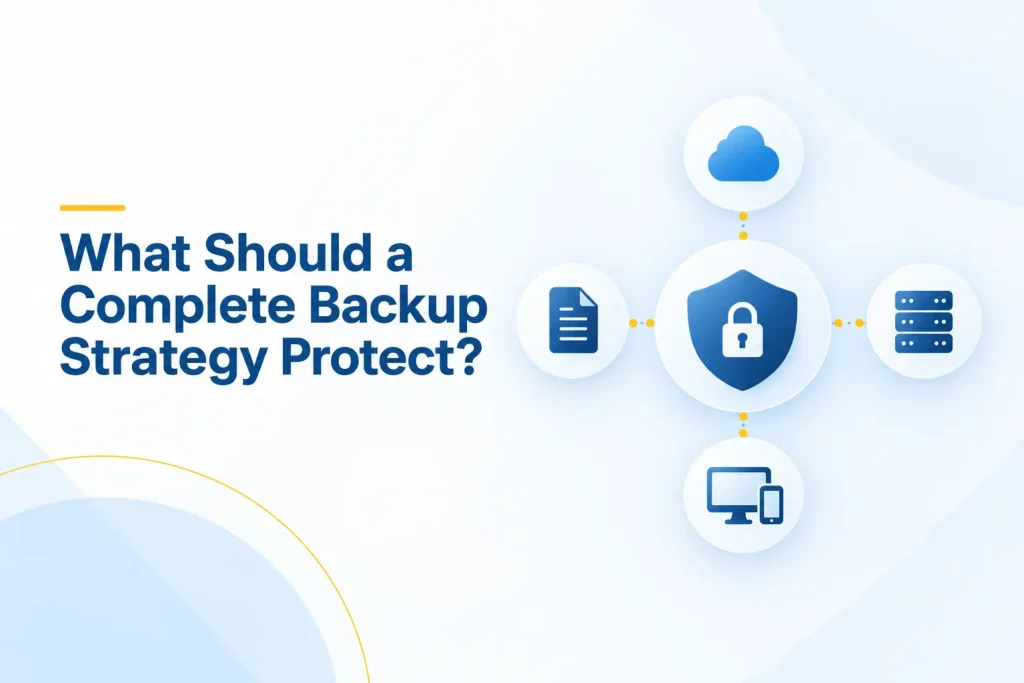
Reliable data backup and recovery begins with knowing what the business needs to operate. Protecting a shared drive while overlooking cloud mailboxes, application data, system configurations, or encryption keys can leave serious gaps.
The backup scope may need to include:
● Shared files and employee documents
● Microsoft 365 or other cloud-service data
● Email, calendars, contacts, and collaboration content
● Business databases and application data
● Servers, virtual machines, and operating-system configurations ● Cloud workloads and hosted applications
● Accounting, customer, legal, and project records
● Network-device and security configurations
● Websites and supporting databases
● Administrative documentation and recovery instructions ● Encryption keys, service credentials, and configuration details
The inventory should also identify where each workload is hosted, who owns it, how frequently it changes, how long data must be retained, and what other systems it requires.
Cloud services do not remove the need for recovery planning. Capabilities vary by product, license, workload, retention policy, and backup service.
For example, Microsoft documents different restore options and recovery points for Exchange Online, OneDrive, and SharePoint through Microsoft 365 Backup.
Businesses should verify what their own configuration protects and then test the recovery path they expect to use.
How to Test Backups Properly
Businesses often ask how to test backups without interrupting daily work. The process should be controlled, documented, and scaled to the importance of the system. It does not always require shutting down production.
1. Define the Test Scope and Owner
Choose exactly what will be tested. The scope might be one file, a mailbox, a folder, a database, a virtual machine, a cloud application, or a complete service.
Assign an owner and identify who will perform the restore, approve the test, validate the recovered information, and record the result.
Include a business representative when technical staff cannot determine whether the restored data is operationally correct.
2. Select an Appropriate Recovery Point
Choose the date and time from which data should be restored. Confirm that the expected recovery point exists and contains the required information.
This step helps verify the recovery point objective, or RPO. The RPO represents the maximum acceptable amount of data loss measured in time.
If the business can tolerate losing no more than four hours of work, the backup schedule and recovery points must support that requirement.
3. Restore Data to a Safe Location
Whenever possible, perform backup restore testing in an isolated or non-production environment. This reduces the chance of overwriting current data or reconnecting a compromised system to the network.
Restoring to an alternative folder, temporary server, recovery tenant, or isolated network can allow the team to validate data safely. The exact approach depends on the workload and backup platform.
4. Confirm That the Data Is Usable
Do not stop when the restoration task reports success. Open recovered files. Query the database. Start the restored application. Confirm that permissions, folders, records, and configuration settings are present.
The business owner of the information should validate that the result makes sense.
A technically successful database restore is not enough if the application cannot process a transaction or the records are incomplete.
5. Measure the Recovery Time
Record how long it takes to request, begin, and complete the restoration.
Include the time required to obtain approval, locate credentials, provision infrastructure, download data, rebuild dependencies, test the result, and return the service to users.
Compare the actual result with the recovery time objective, or RTO. The RTO is the target time for restoring a service after disruption.
A backup can be recoverable and still fail the business if restoration takes several days when operations require several hours.
6. Test Dependencies and Access
Applications rarely operate alone. A restored service may depend on identity systems, DNS, networking, databases, certificates, licenses, internet access, or another vendor.
Confirm that authorized recovery personnel can access the backup system even if the normal identity platform or office network is unavailable.
Emergency credentials should be protected, monitored, and tested without exposing them unnecessarily.
7. Document the Evidence
Record the system tested, recovery point used, location restored, start and finish times, data validated, people involved, issues found, and final outcome.
Screenshots and system logs can support the test record, but the report should also explain whether the business objective was met.
A clear result might be:
● Successful within target
● Successful outside target
● Partially successful
● Unsuccessful
8. Correct Problems and Test Again
A failed test is valuable when it leads to improvement. Assign each issue to an owner, set a completion date, update the recovery procedure, and repeat the affected test.
Closing the ticket without repeating the restore leaves the correction unproven.
Backup recovery testing is complete only when the organization has verified the intended recovery result.
Different Levels of Backup Testing
Not every test needs to rebuild the entire company environment. A mature program uses several levels of testing because each one answers a different question.
Automated backup verification can review job completion, data transfer, storage status, and platform-generated integrity information. This provides frequent visibility, but it does not replace a real restore.
A file-level restore checks whether individual documents or folders can be recovered. It is useful for common events such as deletion, corruption, and user error.
Application or server recovery restores a larger workload. It validates whether the system starts correctly, retains its configuration, and connects to required dependencies.
A recovery simulation tests people and procedures. The team works through a realistic scenario, decides which systems should be restored first, follows escalation paths, and identifies missing information.
Full disaster recovery testing evaluates how multiple systems, teams, locations, and vendors work together. It provides the strongest evidence but requires careful planning to control risk and business impact.
NIST’s National Cybersecurity Center of Excellence recommends monitoring backup processes, conducting tabletop exercises, and testing both individual systems and the wider operation when possible in its guidance on protecting data from ransomware and other data-loss events.
Backup Testing and Disaster Recovery Testing Are Different
Backup testing focuses on the recoverability of stored data or systems. It asks whether the backup exists, whether the restore process works, and whether the recovered information is complete and usable.
Disaster recovery testing examines a broader operational response. It asks how the organization restores critical technology after a serious disruption and how people, systems, vendors, communications, facilities, and leadership decisions work together.
A business may pass a file-restore test but fail a broader recovery exercise because it does not know which application should return first, who can approve emergency spending, how employees will communicate, or whether a required vendor is available.
Ready.gov’s guidance on developing an IT disaster recovery plan recommends identifying critical applications, data, hardware, connectivity, recovery priorities, and the resources needed to restore them. Backup procedures should support that larger plan.
Both forms of testing are necessary. Backup testing proves that recovery materials work. Disaster recovery testing proves that the organization can use them under realistic conditions.
How Often Should Backups Be Tested?
There is no single testing schedule for every business. Frequency should reflect how critical the system is, how often data changes, the impact of downtime, contractual obligations, regulatory expectations, and the rate of technology change.
A practical schedule may include:
● Daily review of backup failures and critical alerts
● Frequent automated integrity or platform verification
● Monthly or quarterly sample restores of important files and cloud data ● Quarterly or semiannual application and server recovery tests ● At least annual disaster recovery exercises for the wider organization ● Additional testing after major migrations, system changes, provider changes, or backup-policy updates
Critical systems may require more frequent recovery tests. Lower-risk archives may justify a different schedule.
Testing should also rotate through workloads. The organization should not repeatedly restore the same easy file while leaving complex systems untested.
The schedule should be written, assigned, and tracked. If testing occurs only when someone remembers, important systems can remain unverified for years.
Can Ransomware Affect Business Backups?
Yes. Ransomware operators may search for backup systems, connected storage, administrative consoles, and recovery credentials.
If attackers can encrypt, delete, or alter the backups, recovery becomes much harder.
A ransomware-resilient backup design should consider:
● Separate administrative credentials for backup systems
● Multifactor authentication for backup administration
● Restricted and monitored access
● Offline, isolated, or immutable backup copies where appropriate ● Multiple copies stored across suitable locations or systems ● Encryption in transit and at rest
● Retention that preserves earlier clean recovery points
● Alerts for deletion, policy changes, and unusual activity
● Documented emergency access and escalation
● Regular restoration tests in a safe environment
CISA’s ransomware guidance advises organizations to maintain offline, encrypted backups and test their availability and integrity regularly.
The CISA ransomware guide also emphasizes protecting backup data because some ransomware attempts to locate and delete accessible backups.
Immutability and offline storage can reduce risk, but no feature removes the need for backup verification.
Businesses should confirm that protected copies are being created correctly, retained for the required period, and accessible through a tested recovery process.
Common Backup and Recovery Warning Signs
The following conditions deserve attention:
● Nobody can identify the last completed recovery test
● Reports show backup success but no restore evidence
● Only one employee or provider technician knows the process ● The backup scope has not been compared with current systems ● Cloud email and shared files are assumed to be protected without verification
● Recovery credentials are undocumented, shared, or untested ● Backups use the same administrative access as production systems ● No recovery time or recovery point objectives have been defined
● Restore instructions have not been updated after migrations or changes
● The business has never tested a full application or server recovery ● Failed jobs remain unresolved for several days
● There is no isolated recovery environment
● Vendors have not defined their roles during an incident ● No one from the business validates the recovered information
One warning sign does not automatically mean the entire strategy will fail.
However, it indicates that the organization lacks evidence in an area that may become important during an emergency.
What Should a Backup Recovery Test Report Include?
A business should receive more than a verbal assurance that a test went well.
The result should be clear enough for leadership, technical staff, auditors, insurers, or clients to understand what was tested and whether it met expectations.
A useful report should identify:
● The system, application, or data selected
● Why it was included in the test
● The backup source and recovery point
● The destination used for the restore
● The people and providers involved
● The recovery steps completed
● Start time, completion time, and total duration
● Actual performance against the RTO and RPO
● Integrity and usability checks performed
● Dependencies tested
● Problems, delays, or missing information discovered
● Corrective actions, owners, and deadlines
● Whether a retest is required
Reporting creates accountability. It also provides evidence that backup restore testing occurs as planned and helps the organization improve results over time.
Questions to Ask Your IT Provider
Do not ask only whether backups are running. Ask questions that reveal whether the provider has tested the complete recovery process.
Useful questions include:
● Which systems, cloud services, devices, and data are included? ● What is excluded from the current backup scope?
● How frequently are backups created?
● How long are recovery points retained?
● Where are copies stored and how are they protected?
● Can attackers or compromised administrators delete the backups? ● When was each critical system last restored successfully? ● What was restored, and who validated the result?
● How long did the recovery take?
● Did the test meet the agreed RTO and RPO?
● What happens if our primary office or identity system is unavailable? ● Who can authorize and perform an emergency restore? ● How will you support us during a ransomware investigation? ● What recovery work is included in our agreement?
● Can we review the latest test report and unresolved actions? Clear answers should connect technology with business requirements.
If the provider cannot explain the scope, last test, recovery time, and evidence, the business does not yet know whether its backups are dependable.
How Capitol Technology Can Help
Capitol Technology helps Washington, DC businesses move from assumed protection to tested recovery readiness.
Our data and network security services can include backup oversight, recovery planning, ransomware readiness, identity protection, monitoring, and practical security improvements.
We review how backup access is protected, whether important workloads are included, and whether the recovery process supports business priorities.
Through our managed IT services, we can also help monitor backup activity, investigate failed jobs, maintain documentation, coordinate vendors, support restoration testing, and plan for technology disruptions.
The right approach depends on your applications, data, cloud platforms, locations, security needs, and acceptable downtime.
We help translate those requirements into clear recovery objectives, test procedures, responsibilities, and evidence.
Conclusion
A successful backup notification is helpful, but it is not proof that your business can recover.
Real confidence comes from backup recovery testing. Restore the data, open it, validate it, measure the time, test the dependencies, document the result, and correct any weakness discovered.
The process does not need to disrupt daily operations. Tests can begin with selected files and applications, then expand into broader recovery exercises based on business risk.
For Washington, DC organizations, tested backups support resilience, client service, security, compliance, and operational continuity.
The goal is simple: when a disruption occurs, the first recovery attempt should not also be the first recovery test.
Ready to find out whether your backups can actually be restored? Contact Capitol Technology for a backup and disaster recovery assessment built around your business systems, recovery priorities, and acceptable downtime.
Frequently Asked Questions
How Do I Know if My Business Backups Can Actually Be Restored?
Perform a controlled restore and validate the result. Recover a representative file, mailbox, application, database, or system to a safe location.
Confirm that the data opens correctly, required permissions and dependencies work, and the restoration finishes within your target recovery time. A backup status message alone does not provide that evidence.
How Often Should a Business Test Its Backups for Recovery?
Testing frequency should match the importance and rate of change of each system.
Businesses may review alerts daily, perform sample restores monthly or quarterly, test important applications quarterly or semiannually, and conduct a broader disaster recovery exercise at least annually.
Test again after major migrations, platform changes, or backup-policy updates.
My Backup Software Says the Backup Was Successful. Does That Mean My Data Is Safe?
Not necessarily. A successful status usually means the backup job completed without a reported error.
It may not prove that everything required was included, the data is usable, credentials are available, or the full system can be restored on time. A controlled restoration provides stronger evidence.
Can Ransomware Affect Business Backups Too?
Yes. Attackers may try to encrypt, alter, or delete backups connected to compromised systems or accessible through stolen administrator credentials.
Separate access, multifactor authentication, offline or immutable copies, monitoring, retention, and regular restore testing can reduce this risk.
What Should I Ask My IT Provider About Backup and Disaster Recovery?
Ask what is protected, what is excluded, how often backups run, how long copies are retained, and how access is secured.
Request the date and evidence from the last successful restore test. You should also know the expected recovery time, acceptable data-loss window, provider responsibilities, ransomware protections, and unresolved recovery risks.