IT Budget Planning for 2027: A Practical SMB Guide
Technology expenses are no longer limited to computers, software, and occasional repairs. Most businesses now depend on cloud platforms, cybersecurity tools, remote access, data protection, industry-specific applications, and reliable support every day.
That makes IT budget planning an important business exercise, not simply an accounting task. A strong 2027 plan should help the organization maintain essential systems, reduce risk, support employees, and invest in technology that produces a measurable business result.
The challenge is deciding what to fund when costs, priorities, and technology needs keep changing. A small business IT budget can quickly become crowded with renewals, aging devices, security requirements, cloud usage, and new AI tools. Without a structured plan, urgent problems consume funds that could have supported more valuable improvements.
This guide explains what to include in a 2027 IT budget, how to forecast costs, where businesses commonly overspend, and how to make better decisions without weakening reliability or security.
Why IT Budget Planning Matters More for 2027
Many technology costs are becoming recurring operating expenses. Instead of buying one server or software license every few years, businesses may now pay monthly for productivity platforms, cloud storage, cybersecurity, backup, communications, industry applications, and user support.
At the same time, the environment is becoming more complex. Employees work from different locations and devices. Important information lives across multiple applications. Customers and partners expect reliable digital service. Insurers and regulated clients may also ask for evidence of security controls.
Several issues deserve special attention in 2027:
● Cloud and software subscriptions may grow quietly as users and applications are added.
● Aging devices can create performance, support, and security problems.
● Cybersecurity must include detection, response, and recovery, not only prevention.
● AI tools require spending on licensing, data readiness, governance, training, and oversight.
● Compliance obligations may affect identity, logging, backup, documentation, and vendor choices.
● Growth may require better networks, automation, integrations, and support capacity.
Good technology budget planning makes these costs visible before they turn into emergencies. It also helps leadership separate essential operations from optional experiments.
What Should IT Budget Planning Accomplish?
A useful IT budget should answer more than “How much will technology cost?” It should explain what the spending enables and what could happen if the business delays it.
The completed plan should show:
● The current cost of operating and supporting the technology environment
● Which assets, contracts, and subscriptions need renewal or replacement
● Which risks require funding
● How growth plans will affect users, devices, storage, applications, and support
● Which projects will improve productivity, security, or customer service
● Which costs are fixed, variable, one-time, or uncertain
● Who owns each planned investment
● How results will be measured
This approach makes IT budgeting for businesses easier to explain to owners, finance leaders, and department managers. Technology spending becomes connected to uptime, employee performance, customer commitments, security, and growth.
Step 1: Review Actual Technology Spending From 2026
Do not begin the 2027 budget by copying last year’s total and adding a percentage. Start with what the business actually owns, uses, and pays for.
Collect at least 12 months of invoices, contracts, expense reports, cloud bills, software renewals, support charges, equipment purchases, telecom expenses, and project costs. Then group them into practical categories.
Look beyond the accounts labeled “IT.” Technology expenses may sit inside marketing, operations, finance, human resources, sales, or individual employee credit cards. Department-purchased applications are especially easy to miss.
For every cost, record:
● The service or asset being purchased
● Its business owner and technical administrator
● Number of users, devices, or units
● Current price and renewal date
● Contract term and cancellation deadline
● Whether the service is essential, useful, duplicated, or unused
● Expected price or usage change in 2027
● Security, compliance, and integration requirements
This review creates a reliable baseline. It can also reveal inactive licenses, duplicate platforms, unsupported devices, forgotten vendor accounts, and cloud resources that continue generating charges.
Step 2: Connect the Budget to the 2027 Business Plan
Technology demand follows business decisions. The IT plan should therefore be built alongside the operating and financial plans, not after them.
Ask leadership and department managers about expected changes during 2027:
● Will headcount increase or decrease?
● Are new offices, remote teams, or markets planned?
● Will the business introduce a new service or customer portal?
● Are major clients adding security or compliance requirements?
● Will employees need new workflows, automation, or reporting?
● Are acquisitions, office moves, or vendor changes possible?
● Which business problems are causing wasted time or poor customer experiences?
Translate each answer into technology requirements. Ten new employees may require more than ten laptops. They may also need software licenses, identity accounts, security coverage, cloud storage, training, onboarding, and help desk capacity.
Likewise, a new client contract could require stronger logging, access controls, documentation, or data retention. Include those costs before the agreement creates an unfunded obligation.
What to Include in a 2027 IT Budget
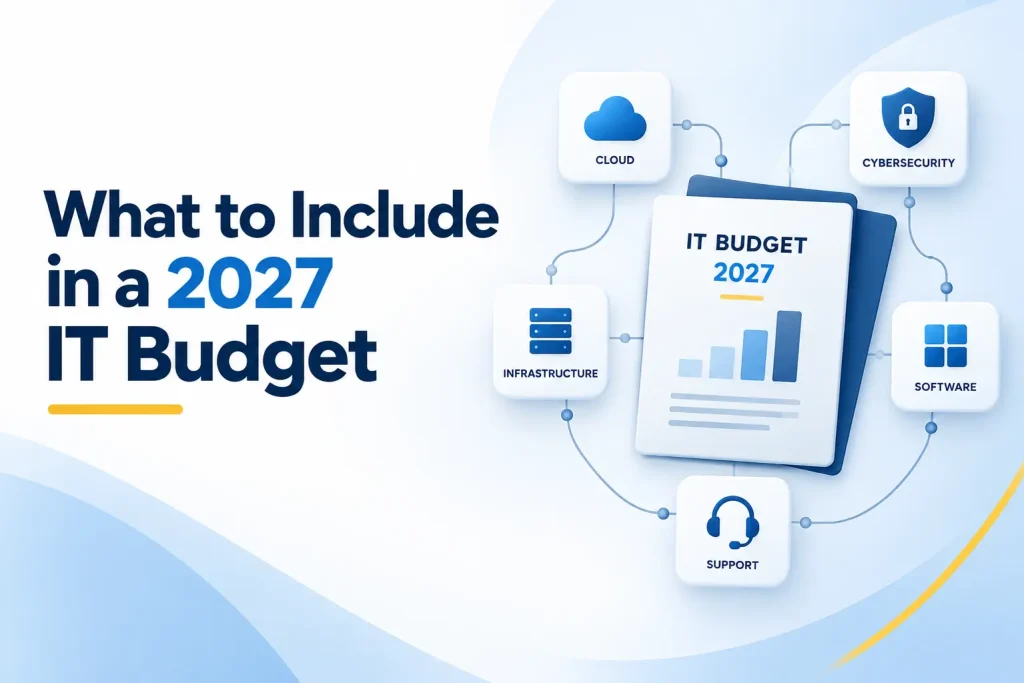
A complete IT budget for small business should cover the full technology lifecycle. The following categories provide a practical structure.
1. IT Staff, Support, and Strategic Guidance
Include salaries, benefits, recruiting, training, contractors, managed services, project support, and specialist consulting. Also account for after-hours coverage, vacation coverage, and escalation when an issue exceeds the internal team’s expertise.
Clarify whether the business needs day-to-day help desk support, infrastructure management, cybersecurity monitoring, cloud administration, strategic planning, or a combination. A reliable support model should cover both immediate employee needs and long-term improvement.
2. Computers and Device Lifecycle
Budget for laptops, desktops, monitors, docking stations, mobile devices, warranties, accessories, setup, secure disposal, and replacement devices. Build a schedule based on age, condition, performance, warranty status, business importance, and manufacturer support.
Do not wait until equipment fails. Emergency purchases create downtime and often cost more. Planned replacements also let the company standardize models, security settings, and support procedures.
Operating-system lifecycle matters as much as hardware age. For example, Microsoft states that Windows 10 reached the end of standard support on October 14, 2025. Businesses using older technology or extended support arrangements should confirm their exact 2027 deadlines and migration costs.
3. IT Infrastructure Budget
The IT infrastructure budget may include servers, storage, firewalls, switches, wireless access points, internet circuits, power protection, cabling, network monitoring, warranties, and cloud infrastructure.
Assess capacity and resilience rather than simply replacing equipment with a newer version. Ask whether the network can support expected headcount, cloud usage, video meetings, remote access, data growth, and business continuity.
Include installation, configuration, migration, testing, and documentation. Hardware is only one part of the project cost.
4. Software, SaaS, and Cloud Services
List productivity suites, communication tools, customer management platforms, accounting systems, industry software, cloud hosting, storage, backup, integrations, and smaller applications purchased by departments.
Forecast cost using expected users and consumption, not only last year’s invoice. Cloud spending can change as storage, data transfer, workloads, and demand increase. The FinOps Foundation’s cloud forecasting guidance recommends combining historical usage with planned changes and updating forecasts as business conditions change.
Record renewal and cancellation dates. A business may have little negotiating power after an automatic renewal has already occurred.
5. Cybersecurity Budget Planning
Cybersecurity budget planning should cover the people, processes, and technology required to reduce risk. Relevant costs may include:
● Identity management and multifactor authentication
● Endpoint protection and detection
● Email security and phishing protection
● Firewall and network security
● Device management and encryption
● Vulnerability scanning and patch management
● Security monitoring and incident response
● Employee awareness training
● Backup protection and recovery testing
● Risk assessments, audits, and compliance work
● Cyber insurance requirements and deductibles
Use business risk to set priorities. The NIST Cybersecurity Framework 2.0 Small Business Quick-Start Guide organizes cybersecurity around Govern, Identify, Protect, Detect, Respond, and Recover. Those functions help prevent a budget from focusing only on preventive products while overlooking monitoring and recovery.
CISA also maintains cybersecurity resources for small and medium-sized businesses that can support planning and employee education.
6. Data Backup and Disaster Recovery
Budget for protected backup storage, monitoring, retention, recovery infrastructure, restoration testing, and business continuity planning. Include cloud applications and employee endpoints where business information is not already protected adequately.
A successful backup status does not prove that operations can be restored. Fund regular tests that confirm the data is complete, accessible, and recoverable within the time the business requires.
Consider the cost of operating during an outage. Temporary devices, alternate locations, emergency communication, specialist recovery assistance, and manual processes may all belong in the plan.
7. Compliance, Audits, and Documentation
Organizations in healthcare, financial services, legal services, government contracting, and other regulated sectors may need assessments, control testing, policy development, evidence collection, and remediation.
Customer contracts and cyber insurance applications can create similar requirements. Review those obligations before budgeting so mandatory controls do not arrive as unexpected projects.
An IT audit can also identify unnecessary spending and hidden risk. The goal is not merely to produce a report. It is to convert findings into prioritized actions with owners, costs, and deadlines.
8. AI, Automation, and Data Readiness
AI spending should begin with approved use cases, not a large pool of licenses. Budget for secure tools, data preparation, integrations, governance, employee training, human review, and performance measurement.
The pressure to invest will be significant. Gartner’s January 2026 forecast projects worldwide AI spending of approximately $3.34 trillion in 2027. That global forecast does not determine what an individual business should spend. It does show why leaders should expect AI features and costs to appear across existing vendors and platforms.
Pilot a limited number of valuable use cases. Measure time saved, quality, risk, employee adoption, and ongoing cost before expanding.
9. Training and Change Management
New technology produces little value when employees do not understand it. Include implementation communication, administrator training, employee instruction, process redesign, documentation, and follow-up support.
Training is also a security control. Employees need practical guidance on phishing, payment fraud, data handling, AI use, account protection, and incident reporting.
10. Contingency and Unplanned Work
Reserve part of the budget for failures, urgent replacements, security incidents, vendor changes, unexpected growth, and important projects that cannot be predicted precisely.
A contingency reserve is not permission to skip planning. It is recognition that technology risk cannot be forecast perfectly. Define who can approve its use and what qualifies as an urgent expense.
How Much Should a Small Business Budget for IT?
There is no single amount that works for every organization. IT spending for small business depends on headcount, industry, locations, growth, existing systems, regulatory obligations, internal skills, and the cost of downtime.
Build the budget from the bottom up:
Calculate the current cost of essential operations.
Adjust subscriptions and support for expected user growth or decline. 3. Add scheduled replacements and contractual renewals.
Add security, compliance, and recovery requirements.
Estimate approved projects and their implementation costs.
Add training and change-management costs.
Include a defined contingency reserve.
Compare the result with cash flow, business priorities, and risk tolerance.
Separate recurring costs from one-time projects. Also distinguish between capital purchases and operating expenses with help from the company’s accounting or tax professional.
The final figure should be explainable. Leadership should understand what each major item supports, what risk it reduces, and what happens if it is postponed.
Should You Use an IT Budget Percentage of Revenue?
An IT budget percentage of revenue can be a useful benchmark, but it should not be the starting point or the only decision rule. Two companies with the same revenue can have completely different technology needs.
A cloud-based consulting firm may rely on technology for nearly every client interaction. A construction company may spend differently across field devices, estimating systems, mobile connectivity, and office infrastructure. A healthcare or government contractor may face security and compliance costs that a less regulated company does not.
Build the detailed budget first. Then calculate technology spending as a percentage of projected revenue and compare it with prior years, peer information where reliable, and the organization’s operating model.
If the percentage changes substantially, explain why. The reason may be a one-time replacement cycle, rapid hiring, a cloud migration, new compliance requirements, or a major automation project. A higher percentage is not automatically wasteful, and a lower percentage is not automatically efficient.
Organize the Business Technology Budget by Purpose
A business technology budget becomes easier to defend when spending is grouped by the outcome it supports.
Maintain Essential Operations
This category keeps daily work functioning. It includes support, core software, connectivity, device replacement, warranties, cloud infrastructure, and routine maintenance.
Underfunding maintenance may create a temporary saving, but the cost can return as downtime, emergency labor, and employee frustration.
Protect the Business
This category addresses cybersecurity, backup, disaster recovery, compliance, audits, and resilience. Tie each significant cost to a risk, requirement, or recovery objective.
Protection should be treated as an ongoing capability. Buying a tool once does not ensure that it remains configured, monitored, updated, and tested.
Improve and Grow
This category includes automation, system integration, AI, analytics, customer experiences, new applications, and infrastructure improvements that support expansion.
Every improvement project should have an owner, expected outcome, implementation plan, full cost estimate, and success measure. Stop or redesign projects that cannot demonstrate value.
How to Control IT Costs Without Creating More Risk
Cost control should remove waste and uncertainty, not essential protection.
Consolidate Duplicate Applications
Identify tools with overlapping functions. Departments may use different platforms for project management, file sharing, scheduling, communication, or AI without realizing the combined cost.
Consolidation can reduce licensing, training, integration, support, and security work. However, confirm business requirements and data migration needs before canceling a system.
Remove Unused Licenses and Accounts
Connect onboarding, role changes, and offboarding with license management. Review inactive users and premium features that employees do not use.
Removing old accounts also reduces security risk. The savings should continue every month rather than appearing only during annual renewal.
Standardize Devices and Configurations
A small range of approved devices is easier to purchase, secure, support, and replace. Standard configurations also reduce troubleshooting time and inconsistent protection.
Plan Replacements Instead of Buying During Failures
Use an asset lifecycle schedule to spread major purchases across the year. Replace the devices most likely to disrupt critical work first.
Review Contracts Before Renewal
Track notice periods, minimum commitments, renewal dates, user quantities, and expected price changes. Give the business time to negotiate or change providers safely.
Compare Total Cost, Not Only Purchase Price
Include implementation, migration, integration, training, management, support, security, downtime, and eventual replacement. A low subscription price can become expensive when the tool creates manual work or requires several add-ons.
Create an Annual IT Budget Planning Calendar
Annual IT budget planning works better as a cycle than as a once-a-year spreadsheet exercise.
Before 2027: Build the Baseline
Complete the inventory, collect contracts and renewals, review 2026 actual spending, interview department leaders, and identify known security or lifecycle gaps. Approve first-quarter priorities before the year begins.
First Quarter: Stabilize and Validate
Confirm user and license counts, complete urgent replacements, address high-priority security risks, and verify that planned projects have owners and realistic scopes.
Second Quarter: Improve Core Systems
Implement approved infrastructure, cloud, workflow, and security improvements. Compare actual spending with the forecast and revise variable costs.
Third Quarter: Measure and Prepare
Review project results, test backup and recovery procedures, assess vendor performance, and begin collecting information for the 2028 plan.
Fourth Quarter: Renew and Reprioritize
Negotiate major renewals, update lifecycle schedules, close or rescope incomplete projects, and approve the next annual roadmap. Carry forward only work that still supports a current business need.
Review actual versus forecast spending monthly or quarterly. A rolling forecast is especially useful for cloud consumption, changing headcount, and projects with uncertain timing.
Common IT Budgeting Mistakes to Avoid
Copying Last Year’s Budget
Historical spending is a baseline, not a strategy. It may contain waste while missing new risks and business plans.
Budgeting Only for Purchases
Implementation, migration, training, integration, management, support, and security can materially change the full project cost.
Ignoring Renewal Dates
Late reviews can lock the business into unwanted subscriptions or reduce its negotiating options.
Delaying Security and Replacements
Postponing necessary work may make the current budget look smaller while increasing the likelihood of downtime, data loss, or emergency spending.
Funding Technology Without an Owner
Every important platform and project needs a business owner, a technical owner, and a clear purpose.
Treating the Approved Budget as Fixed
Actual needs change. Update the forecast when headcount, contracts, projects, prices, or risks change materially.
How to Measure the Return on IT Spending
Not every technology investment creates revenue directly. Some maintain operations, reduce risk, improve service, or prevent avoidable labor. The measurement should match the purpose.
Useful indicators include:
● Downtime and recurring incident reduction
● Average support response and resolution time
● Employee onboarding time
● Device age and warranty coverage
● Software license utilization
● Cloud cost compared with forecast
● Hours removed from a manual process
● Employee adoption of a new platform
● Security coverage and high-priority risk reduction
● Backup restoration time and test success
● Customer response or service-delivery improvements
Record the baseline before implementing a project. Without a starting measurement, it is difficult to prove improvement later.
Is Outsourcing IT Cheaper Than Hiring an Internal Team?
The answer depends on the support scope, company size, required coverage, existing staff, and complexity of the environment.
An internal employee may offer strong business familiarity and daily availability. However, one person may not cover help desk support, infrastructure, cloud
administration, cybersecurity, compliance, projects, and after-hours incidents equally well. Salary is also only one part of the cost. Recruiting, benefits, training, tools, management, time off, and specialist escalation matter.
An outsourced provider can give smaller organizations access to a broader team and predictable monthly services. The business must still examine what the agreement includes, response times, security responsibilities, project charges, onboarding costs, and exclusions.
Many mid-sized organizations use a co-managed model. Internal employees retain business knowledge and strategic ownership, while a provider supplies monitoring, help desk capacity, specialist skills, or project support.
Compare the models using the same service requirements. The cheapest proposal may not be the best value if it leaves important work uncovered.
How Capitol Technology Can Help With 2027 IT Planning
Capitol Technology helps small and mid-sized businesses turn technology needs into a clear, prioritized budget. Our IT auditing services can identify lifecycle issues, control gaps, unnecessary risk, cloud and SaaS concerns, and improvement priorities before the business commits funds.
Our managed IT services can provide ongoing support, monitoring, maintenance, security assistance, and strategic planning under a more predictable service model. For organizations strengthening protection, our data and network security services can support identity, endpoints, networks, monitoring, backup readiness, and incident planning.
We can help leadership understand current costs, plan replacements, prioritize projects, and align the 2027 technology roadmap with business goals and available resources.
Conclusion
Effective IT budget planning gives a business control over technology decisions before renewals, failures, and urgent requests consume available funds.
Begin with actual spending and a complete inventory. Connect the budget to headcount, growth, customer commitments, security risks, and operational needs. Then fund the full technology lifecycle, including support, devices, infrastructure, cloud services, cybersecurity, recovery, compliance, AI, training, and contingency.
Do not judge the plan by whether spending is simply higher or lower than last year. Judge it by whether essential systems remain reliable, risks are reduced, employees can work effectively, and approved projects create measurable value.
Ready to build a practical technology budget for 2027? Contact Capitol Technology for an IT assessment and prioritized planning session.
Frequently Asked Questions
How Much Should a Small Business Budget for IT in 2027?
There is no universal amount. Calculate current operating costs, adjust for expected users and usage, add scheduled replacements, security and compliance requirements, approved projects, training, and a contingency reserve.
The result should reflect how heavily the business depends on technology and the cost of service disruption.
What Percentage of Revenue Should a Business Spend on IT?
No single percentage applies to every business. Industry, operating model, growth, regulation, internal staffing, and technology dependence can change the appropriate level significantly.
Build a bottom-up budget first, then use the percentage of projected revenue as a reasonableness check and explain major changes from prior years.
What Should Be Included in an Annual IT Budget?
Include employees or outsourced support, devices, infrastructure, software, cloud services, connectivity, cybersecurity, backup and recovery, compliance, training, approved improvement projects, and contingency funds.
Account for implementation and ongoing management, not only purchase prices.
Should Cybersecurity Have Its Own Budget in 2027?
Cybersecurity should have clear, visible funding even when individual controls are included within broader technology services.
Separate line items help leadership confirm that identity protection, endpoint security, monitoring, training, assessments, incident response, and recovery are not overlooked.
Is Outsourcing IT Cheaper Than Hiring an Internal IT Team?
It can be, especially when a smaller business needs multiple technical skills or broader support coverage but cannot justify several full-time specialists.
Compare the complete cost and service scope of each option, including salaries, benefits, tools, training, monitoring, time off, project work, and escalation. Some businesses gain the best balance from a co-managed approach.