Cybersecurity Roadmap for Small Business: Build Security on a Budget
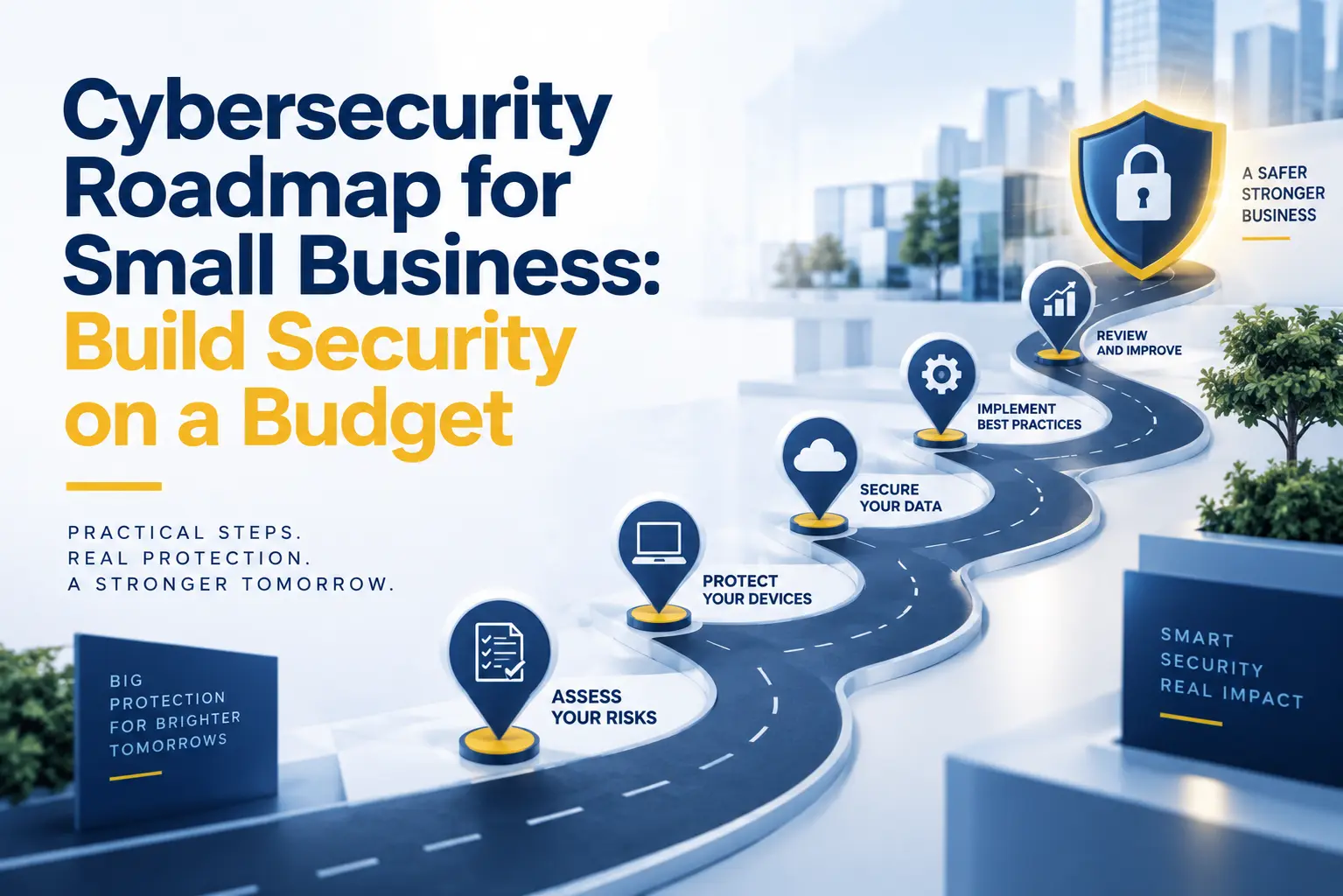
A small business does not need an enterprise security budget to reduce its biggest cyber risks. It needs to know what matters most, what should happen first, and how each investment supports the business.
That is the purpose of a cybersecurity roadmap for small business. It turns a long list of possible tools and projects into a practical sequence. Instead of buying disconnected products, the company strengthens the controls that protect its most important accounts, devices, data, and operations.
A useful roadmap also accepts a basic reality: no business can eliminate every risk. The goal is to lower the likelihood and impact of the incidents most capable of causing financial loss, operational disruption, legal exposure, or damage to customer trust.
This guide explains how to build that roadmap over 12 months, set priorities with limited resources, and measure whether security is actually improving.
Why Small Businesses Need a Cybersecurity Roadmap
Security often grows reactively. A business adds antivirus after a malware scare, buys backup software after a deleted file, or enables multifactor authentication after an account compromise. Each step may help, but individual purchases do not automatically create a complete defense.
A roadmap connects security work to business risk. It identifies what the company depends on, shows where protection is weak, assigns responsibility, and creates an order for improvement.
This matters for small businesses because time, money, and technical staff are limited. Leaders cannot treat every vulnerability as equally urgent. They need to know which problems could stop operations, expose regulated data, enable payment fraud, or threaten an important customer relationship.
The NIST Cybersecurity Framework 2.0 Small Business Quick-Start Guide was created for organizations with modest or no existing cybersecurity plan. It organizes outcomes around six connected functions: Govern, Identify, Protect, Detect, Respond, and Recover.
Those functions provide a sensible foundation for a small business cybersecurity plan. They also prevent a common mistake: spending the entire budget on prevention while leaving little ability to detect an attack, respond to it, or restore operations afterward.
Start With Business Risk, Not a Shopping List
The first question should not be, “Which security product should we buy?” It should be, “What would hurt the business most if it were stolen, changed, unavailable, or misused?”
Begin by identifying essential operations. These might include sending and receiving email, serving customers, processing payments, producing client work, accessing case files, scheduling appointments, or communicating with government systems. Then identify the technology and information that support each operation.
For every critical process, consider:
● What data does it use?
● Which employees and vendors can access it?
● Where is the information stored?
● What would happen if access disappeared for one hour, one day, or one week?
● Could fraudulent activity occur if an account were compromised?
● Is the business subject to legal, regulatory, insurance, or contractual requirements?
● Is there a tested way to restore the system or continue working?
This exercise keeps the cybersecurity strategy for small business connected to revenue, service delivery, compliance, and reputation. It also gives leadership a clearer reason to approve each project.
For example, replacing an old firewall may be important. However, enabling multifactor authentication on the owner’s email and accounting accounts could reduce a more immediate risk at a much lower cost. A roadmap makes that tradeoff visible.
Build the Roadmap Around Six Security Outcomes
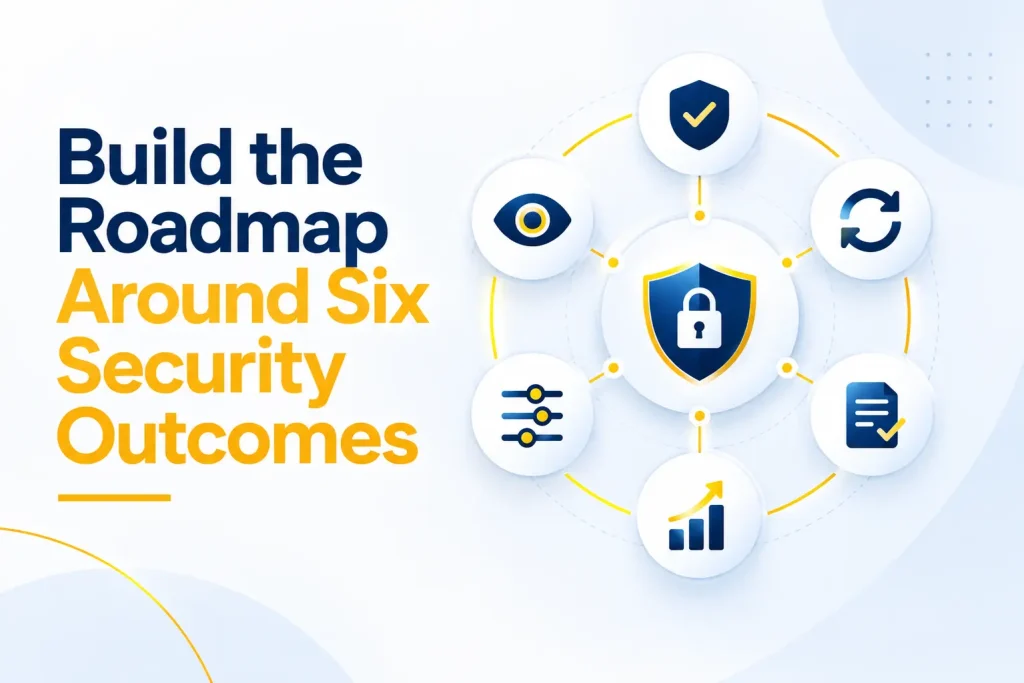
A complete cybersecurity roadmap should cover more than tools. It should address six connected outcomes:
● Govern: Assign ownership, understand requirements, set policy, and review progress.
● Identify: Inventory devices, software, services, accounts, vendors, and important data.
● Protect: Use safeguards such as MFA, secure configurations, updates, access control, training, and backups.
● Detect: Monitor for unusual sign-ins, malware, disabled controls, administrator changes, and other warning signs.
● Respond: Establish decision-making authority, technical actions, communications, and outside contacts before an incident.
● Recover: Maintain restorable backups, recovery priorities, alternative processes, and realistic recovery targets.
Together, these outcomes keep the business from spending everything on prevention while overlooking detection and recovery.
Phase 1: Reduce Immediate Risk in the First 30 Days
The first month should focus on high-value actions that reduce common paths to business disruption. Do not wait for a perfect inventory or a large transformation project before fixing obvious exposure.
1. Assign an Owner and Create a Risk List
Name one person who is accountable for coordinating the roadmap. That person does not have to perform every technical task. However, they should track decisions, owners, deadlines, exceptions, and results.
Create a simple risk register. Record the affected system, likely business impact, existing protection, required action, owner, and target date. Start with leadership’s known concerns, then validate them through a technical review.
2. Inventory Critical Technology and Data
List business-owned computers, mobile devices, servers, network equipment, cloud platforms, software subscriptions, websites, domains, vendors, and administrator accounts. Record who owns each item and whether it remains supported by the manufacturer.
Identify sensitive data such as customer records, employee information, financial documents, contracts, intellectual property, credentials, and regulated information. Record where it is stored, who can access it, and how it is backed up. The first inventory only needs to be accurate enough to reveal forgotten systems and guide decisions.
3. Protect Important Accounts With MFA
Require multifactor authentication for email, Microsoft 365 or Google Workspace, banking, accounting, payroll, remote access, cloud administration, password managers, social media, and any system containing sensitive data.
Start with administrators, owners, executives, finance staff, and anyone who can approve payments or reset users. Where practical, use phishing-resistant methods such as passkeys or FIDO2 security keys.
Also change default passwords, disable shared accounts, and give each employee a unique identity. The CISA Secure Your Business guidance emphasizes basics such as recognizing phishing, using strong passwords, enabling MFA, and updating software.
4. Remove Unnecessary Access
Disable accounts belonging to former employees, inactive vendors, and unused administrators. Give employees only the access required for their jobs, and do not use administrator accounts for routine work. An onboarding, role-change, and offboarding checklist helps prevent access from drifting again.
5. Patch Internet-Facing and Critical Systems
Turn on automatic updates where they are appropriate, and define a routine for operating systems, browsers, business applications, firewalls, and remote-access tools.
Prioritize internet-facing systems, vulnerabilities known to be used in attacks, software protecting sensitive data, and devices with privileged access. CISA’s Known Exploited Vulnerabilities Catalog identifies vulnerabilities with evidence of active exploitation.
Replace products that no longer receive security updates. Unsupported technology can remain a permanent gap regardless of how carefully it is configured.
6. Confirm Endpoint and Email Protection
Every supported laptop, desktop, and server should have centrally managed endpoint protection, with alerts routed to a responsible person. Email controls should address malicious attachments, suspicious links, impersonation, and common fraud patterns. Configure SPF, DKIM, and DMARC where applicable, and give employees an easy reporting method.
7. Protect and Test Backups
Back up the systems and information required to operate. Keep at least one protected copy that cannot be easily changed or deleted by a compromised user or infected device. Restrict backup administration and protect it with MFA.
Restore a representative sample and confirm the data opens, permissions work, and recovery time supports the business. NIST’s small-business guide recommends regular backups and testing because recovery depends on usable data, not a green status icon.
8. Give Employees Clear Security Basics
Provide short training on phishing, unexpected payment changes, password reuse, unsafe downloads, lost devices, suspicious MFA prompts, and incident reporting. Explain how staff can verify an unusual request through a known phone number or separate channel.
Match training to each role. Finance staff need payment-fraud examples, executives need impersonation scenarios, and remote staff need guidance on devices and support requests.
9. Write a One-Page Incident Contact Plan
Record who employees call when they suspect an account compromise, malware infection, lost device, payment fraud, or data exposure. Include internal leaders, the IT contact, cyber insurer, legal counsel, bank, and other essential parties.
Keep a copy accessible when normal systems are unavailable. A short plan used quickly is more valuable than a lengthy document no one can find.
Phase 2: Standardize Protection During Days 31–90
Once immediate gaps are under control, turn one-time fixes into repeatable processes. This stage makes the small business IT security plan consistent as employees, devices, vendors, and applications change.
1. Establish a Written Security Baseline
Document minimum requirements for authentication, approved software, updates, encryption, remote work, data handling, backups, privileged access, vendor access, and incident reporting. Keep policies short and state who must follow and enforce each rule, plus how exceptions are approved.
2. Centralize Device Management
Use management tools to maintain a device list, enforce encryption and screen locks, deploy updates, configure security settings, and remove business data from lost devices. If personal devices may access company information, define minimum controls and separate business content where possible.
3. Strengthen Cloud and File Permissions
Review access and sharing in Microsoft 365, Google Workspace, cloud storage, business applications, and collaboration platforms. Remove unnecessary public links and organization-wide access. Enable useful audit logs and make administrator activity traceable to individual accounts.
4. Review Vendors and SaaS Applications
Review providers that store data, access systems, process payments, or support essential operations. Examine their security capabilities, breach notification terms, backup responsibilities, account controls, data deletion, and continuity. Cloud
customers often remain responsible for identities, configurations, permissions, endpoints, and some backup decisions.
5. Create Useful Monitoring and Alerts
Start with events that could indicate serious compromise: risky sign-ins, new administrator accounts, disabled MFA, changed forwarding rules, endpoint detections, mass file deletion, backup failures, and unexpected remote access. Every alert needs an owner and response path.
6. Practice the Incident Response Plan
Run a short tabletop exercise. Present a believable scenario, such as a compromised executive mailbox, ransomware on a shared server, or a fraudulent bank transfer. Ask the team to explain what it would do during the first hour and first day.
Use the exercise to find missing contacts, uncertain authority, unavailable backups, unclear insurance requirements, or dependence on one person. NIST SP 800-61 Revision 3 connects incident response with broader cybersecurity risk management.
Phase 3: Build Resilience During Months 4–12
The rest of the first year should make security more measurable, resilient, and aligned with growth. Choose the next projects from the risk register rather than copying an enterprise checklist.
1. Establish Vulnerability Management
Schedule vulnerability scans, review findings, assign owners, and track remediation. Confirm that scanners cover remote devices, cloud systems, public websites, and network equipment where relevant.
Severity is only one input. Internet exposure, active exploitation, access to critical data, and other safeguards may change the priority. Small organizations can also review CISA’s no-cost cybersecurity services and tools for potentially useful resources.
2. Improve Network and Remote-Access Security
Replace default firewall rules, close unused services, secure wireless networks, and separate higher-risk systems when practical. Require MFA for remote access and regularly review who and which devices may connect.
3. Improve Detection and Response Coverage
As the company grows, consider managed detection and response, centralized logging, or around-the-clock alert coverage. Document what a provider monitors, when it responds, how it contacts the business, and what is outside the service. A tool is not a response capability unless qualified people act on its findings.
4. Test Business Continuity and Disaster Recovery
Define which operations must return first and how long each can remain unavailable. Test more than file recovery. Determine whether staff can communicate without email, issue invoices when a primary system is down, and serve clients from another location. Record actual recovery times.
5. Address Compliance and Contract Requirements
Map applicable requirements to existing controls, especially in healthcare, financial and legal services, government contracting, and other regulated work. Build a common control foundation, preserve evidence, and add specific measures when a law, contract, insurer, or customer requires them.
6. Review the Roadmap With Leadership
At least quarterly, show leadership which risks were reduced, which remain open, what incidents occurred, and where decisions or funding are needed. Update the roadmap after major technology changes, acquisitions, new contracts, office moves, or material incidents.
The purpose is continuous improvement. A roadmap should change as the business changes.
How to Set a Cybersecurity Budget for Small Business
There is no responsible universal percentage that every company should spend. A firm holding sensitive client files has different risks from a retailer, government contractor, or company dependent on specialized equipment.
A realistic cybersecurity budget for small business should begin with four questions:
● What financial and operational losses could the most credible incidents cause?
● Which legal, regulatory, contractual, and insurance requirements are mandatory?
● Which essential safeguards are missing or unreliable today?
● What can the company operate internally, and where does it need outside expertise?
Separate recurring costs from improvement projects. Recurring costs may include secure cloud licensing, endpoint protection, backups, monitoring, training, support, testing, and insurance. Projects may include replacing unsupported equipment, deploying MFA, correcting cloud permissions, or improving recovery. Reserve funds for incident response needs such as technical and legal support.
Affordable cybersecurity for small business means reducing meaningful risk without paying for overlapping tools, unused features, or controls the company cannot operate. Configure valuable protections already included in current business platforms before buying duplicates.
The U.S. Small Business Administration’s cybersecurity guidance recommends training employees, securing networks, updating software, enabling MFA, protecting data, and assessing business risk. These fundamentals are a useful spending baseline because they address multiple threats instead of one narrow scenario.
How to Choose Which Cybersecurity Risks to Fix First
When resources are limited, rate each issue by likelihood and business impact, then adjust for context.
Move a risk higher when it involves:
● A system exposed directly to the internet
● A vulnerability known to be actively exploited
● An administrator, finance, executive, or remote-access account ● Sensitive, regulated, or contract-controlled information
● A critical process with no workable alternative
● A system that cannot be restored within the required time
● A control gap shared across many users or devices
● A likely path to payment fraud, ransomware, or data theft
Consider effort as well. Complete high-impact quick wins, such as disabling an unused administrator or enabling MFA, while planning larger projects.
The cybersecurity priorities for small business should usually protect identities, close known exposure, secure endpoints and email, maintain restorable backups, train employees, and create a response path. After those basics are reliable, the business can add deeper monitoring, testing, segmentation, and automation.
The Federal Trade Commission’s Start with Security guide recommends keeping personal information only when the business needs it and protecting what remains. Reducing unnecessary data can lower exposure and cost.
How Small Businesses Can Control Security Costs
Knowing how to improve small business cybersecurity is partly about using limited resources intelligently. Consolidate overlapping services and automate repeatable work such as updates, device policies, account provisioning, backup monitoring, and reports.
Give every user a secure baseline, then apply advanced licensing where risk is greater, including administrators, executives, finance teams, and regulated roles.
Improve processes too. A verified payment-change procedure or reliable offboarding checklist may prevent more harm than another alert.
Finally, buy expertise where the business cannot sustain it internally. A focused assessment, configuration project, exercise, or managed service may be more efficient than expecting one generalist to master every security discipline.
How to Measure Whether the Roadmap Is Working
Executives need evidence that investments reduce exposure. The number of blocked threats alone does not prove that the program is improving.
Track practical measures such as:
● Important accounts protected by MFA
● Supported devices under centralized management
● Time required to deploy critical updates
● Unsupported devices and applications
● Employee training completion
● Time required to remove departing-user access
● Privileged accounts reviewed
● Date and result of the latest restore test
● Time required to investigate important alerts
● Results of response and recovery exercises
● Number and age of high-priority open risks
Give each metric a baseline, target, owner, and review date. If it does not improve, determine whether the obstacle is funding, staffing, technology, or unclear ownership.
Common Mistakes That Weaken a Small Business Security Plan
Buying Tools Before Defining the Risk
Products cannot compensate for unclear priorities. Choose controls only after identifying essential operations and likely loss scenarios.
Assuming the Cloud Provider Handles Everything
Cloud customers still manage users, permissions, devices, data sharing, configurations, and many backup decisions.
Treating Compliance as Complete Security
Passing an assessment does not guarantee that access, patches, alerts, and backups remain effective every day.
Leaving Alerts Without an Owner
Monitoring needs a responsible person, escalation process, and expected response time.
Failing to Test Recovery
Test whether backups can restore essential operations within the time the business requires.
Trying to Complete Everything at Once
An oversized plan can stall. Break it into owned projects with deadlines and measurable outcomes, then complete the highest-value work first.
Can a Small Business Build Security Without a Large IT Department?
Yes. The business still needs accountability, but it does not need to hire a specialist for every function.
An internal employee can own business decisions, approve policies, and coordinate users. A managed IT or security provider can handle assessments, configuration, patching, backup oversight, monitoring, response, and reporting. Specialized legal, privacy, compliance, or forensic support can be added when the risk requires it.
The important distinction is between ownership and execution. A vendor may operate controls, but business leadership remains responsible for deciding risk tolerance, funding priorities, and acceptable disruption.
When evaluating outside help, ask what is included, what is excluded, who monitors alerts, how quickly the provider responds, which evidence it reports, how backups are tested, and what happens during a serious incident.
How Capitol Technology Can Help
Capitol Technology helps businesses turn security concerns into a practical, prioritized plan. Our data and network security services can support risk reviews, identity and access protection, endpoint security, threat monitoring, network safeguards, backup readiness, and incident response planning.
We can assess the current environment, identify the most important gaps, and build a roadmap around business operations, compliance needs, existing technology, and available budget. Ongoing managed IT services can then help maintain those controls as users, devices, applications, and threats change.
The result is not a stack of disconnected products. It is a security program with clear priorities, accountable owners, and measurable progress.
Conclusion
A limited budget does not prevent a small business from making meaningful security improvements. It makes prioritization more important.
An effective cybersecurity roadmap for small business begins with the operations and information the company cannot afford to lose. It reduces immediate risk through MFA, updates, access control, endpoint and email protection, tested backups, employee awareness, and an incident contact plan. Then it adds consistent management, monitoring, vendor oversight, response practice, and recovery testing.
Most importantly, the roadmap should remain connected to business risk. Review it regularly, measure outcomes, and redirect resources when systems, obligations, and threats change.
Ready to create a practical security plan that fits your business and budget? Contact Capitol Technology for a cybersecurity assessment and prioritized improvement roadmap.
Frequently Asked Questions
How Much Should a Small Business Spend on Cybersecurity?
There is no single percentage that fits every small business. Budget based on critical systems, sensitive data, regulatory and contractual duties, current control gaps, likely incidents, and the cost of downtime.
Fund essential recurring safeguards first, then prioritize improvement projects by risk. Include money for training, testing, response, and recovery rather than spending the entire budget on prevention tools.
What Cybersecurity Tools Should a Small Business Prioritize First?
Start with strong identity protection, a business password manager, MFA, supported and automatically updated devices, centrally managed endpoint protection, email security, protected backups, and basic monitoring.
The exact products matter less than correct configuration, complete coverage, alert ownership, and regular testing. Use capabilities already included in current business platforms before buying overlapping tools.
Can a Small Business Build a Good Cybersecurity Program Without a Large IT Department?
Yes. Assign an internal business owner, use repeatable policies and checklists, automate routine controls, and engage qualified outside support for work the company cannot maintain internally.
Leadership must still approve priorities and understand risk, even when a provider performs the technical work.
What Should Be Included in a Small Business Cybersecurity Roadmap?
Include business objectives, critical assets and data, applicable requirements, a risk register, prioritized projects, control owners, target dates, budget, success measures, and review dates.
Cover governance, identification, protection, detection, incident response, and recovery so the plan does not depend on prevention alone.
How Do I Know Which Cybersecurity Risks to Fix First?
Prioritize risks that combine a realistic chance of exploitation with serious business impact. Give extra weight to internet-facing systems, actively exploited
vulnerabilities, privileged accounts, sensitive information, essential operations, and systems without a tested recovery path.
Complete low-effort, high-value improvements immediately while larger projects are planned.