What Is Included in Managed IT Services? A Complete Guide for Businesses
If your business is considering outsourced IT support, the first question is usually: what is included in managed IT services?
The answer depends on the provider and the agreement. Most managed services combine employee support, system monitoring, routine maintenance, account administration, cybersecurity assistance, backup oversight, and technology planning. However, no universal package automatically includes every tool, project, or emergency service.
That difference matters. Two proposals can both promise “complete IT support” while covering very different users, systems, hours, and responsibilities.
This guide explains the main services businesses should expect, what may cost extra, and how to evaluate the scope before choosing a provider.
Not sure which parts of your technology environment need better support? Schedule a free IT consultation to review your current systems, support gaps, and business priorities.
What Are Managed IT Services?
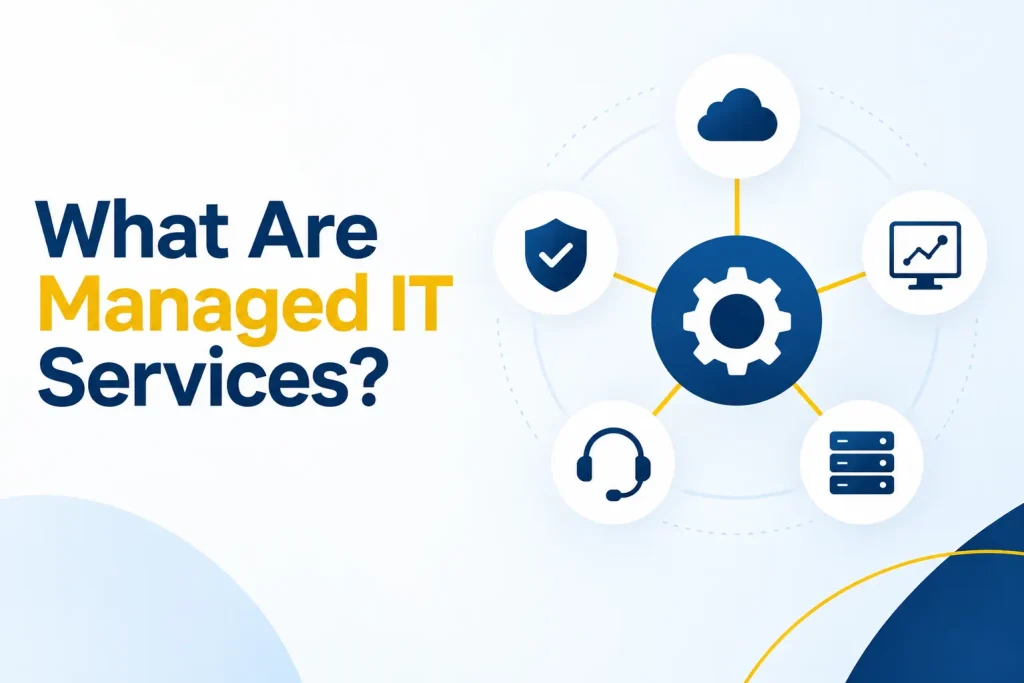
Managed IT services are ongoing technology services delivered by an external managed service provider, often called an MSP. The provider assumes responsibility for an agreed set of IT activities under a recurring contract.
The relationship is designed to give the business consistent support and maintenance instead of arranging individual repairs whenever something fails.
Depending on the contract, managed services offerings may cover:
Employee help desk support
Devices, servers, and network equipment
Monitoring and approved software updates
Microsoft 365 or other cloud administration
User onboarding and offboarding
Cybersecurity tools and oversight
Backup monitoring and recovery planning
Vendor and license coordination
Technology roadmaps and budget guidance
The exact combination should be documented. A service name or marketing phrase does not define the actual coverage.
Ready to review your current IT responsibilities? Book a free consultation with Capitol Technology to discuss a managed service plan designed around your business, priorities, and budget.
What Is Included in Managed IT Services?
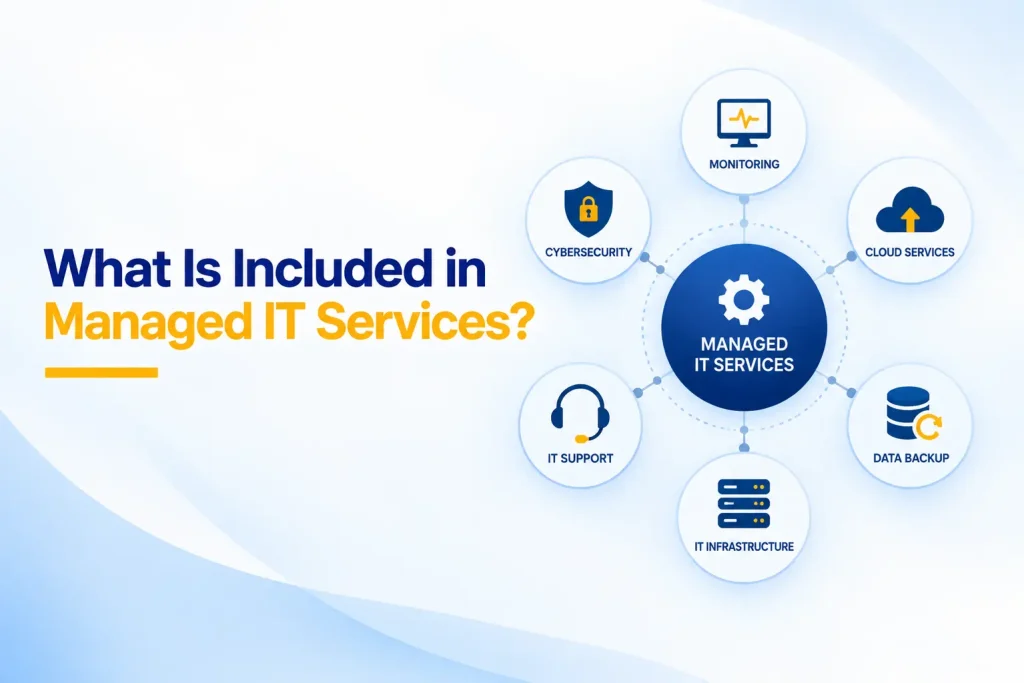
The following service categories are commonly found in comprehensive managed IT services. Businesses should confirm the specific tasks, systems, hours, and limitations included in their agreement.
1. Managed Services Helpdesk
A managed services helpdesk gives employees a defined way to request assistance. Support may be available through phone, email, a web portal, chat, or an application installed on company devices.
The help desk may resolve problems involving:
Account access and password resets
Email and collaboration tools
Computers and approved mobile devices
Printers and common office equipment
Supported business applications
Remote-work access
Basic user guidance
The agreement should define support hours, ticket priorities, acknowledgement targets, escalation paths, and any limits on on-site assistance.
“Unlimited support” rarely means every request is included. Major projects, training programs, custom software development, and unsupported personal devices may sit outside the help desk scope.
2. Managed IT Monitoring and Alert Response
Managed IT monitoring uses management and security tools to watch supported devices, servers, networks, backups, and services for signs of trouble.
Depending on the environment, monitoring may identify:
A server running out of storage
A device that stops reporting
Failed backups
Security alerts
Unusual system performance
Offline network equipment
Missing updates
Service availability problems
Monitoring creates visibility, but it is only useful when someone reviews and acts on the alerts. Ask who receives each type of alert, how quickly it is reviewed, and what response is included.
A provider may monitor one part of the environment while another vendor monitors something else. The contract should make those boundaries clear.
Ready to review your current IT responsibilities? Book a free consultation with Capitol Technology to discuss a managed service plan designed around your business, priorities, and budget.
3. Patch and Update Management
Supported operating systems and applications require regular security and reliability updates. An MSP may test, approve, schedule, deploy, and report on patches for covered devices.
Effective patch management also identifies failed installations, devices that have stopped checking in, and software that no longer receives vendor support.
Not every application can be updated through the same management tool. Ask which operating systems, browsers, third-party applications, servers, firewalls, and network devices are included.
The provider should also explain how emergency security updates are handled and whether restarts occur automatically or during agreed maintenance windows.
4. Endpoint and Device Management
Endpoint management covers the business computers and mobile devices employees use to access company systems.
Services may include:
Device inventory and ownership records
Standard configurations
Security policy deployment
Disk encryption
Endpoint protection
Remote support tools
Software installation
Warranty tracking
Secure device retirement
The provider may also assist with purchasing and preparing new equipment. Hardware costs are normally separate unless the agreement specifically includes hardware as a service.
Ask whether personally owned devices, tablets, phones, shared workstations, and remote computers are covered. An unmanaged device can remain a gap even when the employee has help desk access.
5. User Onboarding, Changes, and Offboarding
New employees need accounts, licenses, permissions, devices, and security settings. Departing employees need access removed quickly and company information protected.
A managed provider may coordinate:
Account and mailbox creation
License assignment
Group and application access
Device setup
Multifactor authentication registration
Role changes
Account disabling
Data transfer and retention
Equipment return checks
The business still needs an authorized person to approve access and notify the provider on time. The MSP should not decide independently which confidential information an employee may access.
A written onboarding and offboarding process reduces delays and prevents forgotten accounts from remaining active.
6. Network Management
Network services may cover firewalls, switches, wireless access points, internet connections, virtual private networks, and connectivity between locations.
Common activities include configuration, firmware updates, performance monitoring, traffic review, secure remote access, and vendor coordination during an outage.
Ask whether the provider owns the network design or only supports the existing equipment. Major upgrades, new office installations, cabling, and equipment replacement may require separate project work.
The agreement should also explain which network devices are supported and whether older equipment must be replaced during onboarding.
7. Microsoft 365 and Cloud Administration
Many businesses rely on Microsoft 365, Google Workspace, cloud storage, and software-as-a-service applications. Managed support can cover account administration, licensing, settings, email, collaboration, and access.
Typical tasks may include:
Creating and removing user accounts
Assigning licenses
Managing groups and permissions
Configuring email settings
Reviewing external sharing
Supporting Teams, SharePoint, or OneDrive
Managing security and compliance settings
Investigating account-related alerts
Cloud hosting does not transfer every responsibility to the platform provider. Microsoft’s shared-responsibility guidance explains that customers retain responsibilities for their data, identities, accounts, access controls, and configurations.
Ask which cloud platforms are included and whether migrations, integrations, data cleanup, and advanced compliance work are separate projects.
8. Identity and Access Management
Identity security controls who can reach company systems and what they can do after signing in.
A managed service may include:
Multifactor authentication
Password and sign-in policies
Single sign-on
Conditional access
Role-based permissions
Administrator account management
Inactive account reviews
Sign-in alert investigation
The provider should follow least-privilege practices for both employees and its own technicians. Administrative access should be limited, protected, and logged.
Company leadership remains responsible for approving access and accepting business risk. The MSP operates the process defined with the client.
9. Cybersecurity Tools and Oversight
Security is often part of fully managed IT services, but the depth varies significantly.
A baseline package may include endpoint protection, email filtering, MFA support, security updates, and basic alert handling. A broader service may add vulnerability management, security awareness training, threat detection, log review, incident-response planning, and compliance support.
The NIST Cybersecurity Framework 2.0 Small Business Quick-Start Guide organizes security around six functions: Govern, Identify, Protect, Detect, Respond, and Recover. Businesses can use those functions to identify gaps in an MSP’s security scope.
Do not assume that general IT support includes a full security operations center, digital forensics, breach counsel, regulatory reporting, or ransomware recovery. Ask who investigates alerts outside business hours and what happens after a confirmed incident.
10. Backup Monitoring and Recovery Support
Managed services may include backup configuration, job monitoring, failure investigation, retention oversight, and recovery assistance.
However, backup and disaster recovery are different. A backup creates a copy of data. Disaster recovery defines how systems and operations will be restored within an acceptable time.
Ask the provider:
Which systems and cloud applications are backed up?
How long is data retained?
Can an attacker alter or delete the backup?
Who monitors failed jobs?
How often are restorations tested?
What recovery time is supported?
Is large-scale disaster recovery included or billed separately?
A successful backup notification does not prove that the data can be restored. Recovery testing should be documented.
11. Vendor, License, and Asset Management
Businesses often use several technology vendors for internet, phones, software, printing, security, and industry applications. An MSP may coordinate technical issues with those vendors and maintain an inventory of assets and licenses.
This can reduce the time employees spend explaining the same problem to several companies. Still, the MSP cannot control another vendor’s response time or guarantee that an external service remains available.
Ask whether vendor coordination, renewal tracking, warranty claims, purchasing, and license optimization are included. The business should retain suitable ownership and oversight of its contracts, domains, cloud tenants, and data.
12. Documentation, Reporting, and Technology Planning
A mature managed service should produce useful documentation and business guidance.
Documentation may include network diagrams, asset records, approved administrators, vendor contacts, standard configurations, recovery procedures, and technology policies.
Reporting should show more than ticket totals. Useful reports identify recurring problems, unsupported equipment, failed updates, unresolved security risks, backup results, and planned replacements.
Strategic planning may include:
Technology roadmaps
Annual budget forecasts
Hardware lifecycle planning
Cloud and software recommendations
Cybersecurity priorities
Business continuity planning
Support for new offices or growth
Project sequencing
When a provider describes its service as managed IT consulting, ask how often planning meetings occur, who attends, and what written deliverables the business receives.
Want a clearer picture of what your business needs from an MSP? Book a managed IT services consultation to discuss your users, systems, security requirements, and support expectations.
What Do Fully Managed IT Services Really Mean?
Fully managed IT services usually mean that the provider handles most agreed day-to-day technology operations. The term does not have one universal definition.
One provider may include help desk support, monitoring, patching, security tools, backup oversight, and quarterly planning. Another may use the same phrase while excluding cloud administration, on-site work, security response, or projects.
A business should ask for a responsibility matrix that identifies:
What the provider owns
What the client owns
What another vendor owns
What is included in the recurring fee
What requires separate approval and billing
What happens during an emergency
Comprehensive managed IT services should offer broad, coordinated coverage. They should also state their boundaries clearly.
What Do 24/7 Managed IT Services Include?
The phrase 24/7 managed IT services can describe several different capabilities:
Automated monitoring that runs continuously
A staffed help desk available at all hours
An on-call technician for urgent incidents
Around-the-clock security monitoring
Immediate human investigation and response
These services are not interchangeable. A monitoring platform may generate alerts overnight even when routine help desk support resumes the next morning.
Ask the provider which users and systems qualify for after-hours assistance, what counts as an emergency, how quickly a person responds, and whether extra charges apply.
Also distinguish response from resolution. A provider may acknowledge an incident promptly but still depend on a software vendor, internet carrier, replacement part, or client decision before restoring service.
What Is Usually Not Included in the Monthly Fee?
Even broad managed services rarely include every technology expense.
Common exclusions include:
Computers, servers, firewalls, and other hardware
Microsoft 365 and third-party software licenses
Large cloud or server migrations
New office installations and cabling
Major network redesigns
Custom software development
Compliance certification and legal advice
Digital forensics and breach counsel
Large-scale disaster recovery
Work involving unsupported or undocumented systems
Projects outside the agreed service scope
Some providers bundle selected licenses and security tools into the monthly price. Others bill them separately.
Request a written list of exclusions and examples of work classified as a project. Also ask how estimates, approvals, and change requests are handled.
Ready to review your current IT responsibilities? Book a free consultation with Capitol Technology to discuss a managed service plan designed around your business, priorities, and budget.
Which Responsibilities Stay With the Business?
Outsourcing IT operations does not transfer every business decision or legal responsibility.
The client should retain an accountable internal leader who can:
Approve access and technology changes
Set business priorities
Identify critical systems and data
Explain legal and contractual requirements
Approve budgets and projects
Decide acceptable risk
Participate in incident response
Review provider performance
Vendor risk also remains important because an MSP may have privileged access to systems and information. The FTC’s vendor-security guidance recommends putting security requirements in writing, verifying compliance, and limiting vendor access.
CISA’s guidance for MSPs and their customers also emphasizes measures such as MFA, least privilege, logging, monitoring, and clear responsibilities.
The business and provider should document who manages each important control. Shared responsibility works when both parties understand their roles.
How to Compare Managed Services Offerings
Compare providers against the same business requirements. A lower-priced agreement may cover fewer users, systems, hours, or security responsibilities.
Ask each provider to explain:
Supported users, devices, locations, and applications
Help desk hours and contact methods
Ticket priority and escalation rules
On-site support availability
Monitoring and after-hours response
Included security and backup tools
Recovery testing
Project and licensing costs
Reporting and planning meetings
Contract length and renewal terms
Account ownership and exit assistance
Avoid relying only on a checklist of product names. Determine who operates each tool, who responds to its alerts, and how the result is verified.
Also examine the provider’s own security. Ask how technicians access client systems, whether MFA is required, how privileged activity is logged, how subcontractors are controlled, and how access is removed when staff leave.
What Should Happen During Managed IT Onboarding?
Onboarding establishes the operational and security baseline for the relationship.
The provider should inventory supported users, devices, networks, cloud systems, vendors, licenses, and critical applications. It should document administrators, review access, install agreed management tools, and verify existing backups.
Both parties should then agree on authorized contacts, ticket procedures, change approvals, maintenance windows, incident escalation, and communication expectations.
Onboarding may uncover unsupported equipment, missing documentation, weak access controls, or unreliable backups. The provider should separate urgent issues from longer-term improvements and explain which remediation work is included.
Before onboarding closes, the business should receive a clear summary of:
What was reviewed and documented
Which systems are now managed
Which risks remain open
Which improvements require approval
How employees request help
When the first service review will occur
How Capitol Technology Can Help
Capitol Technology’s managed IT services combine employee support, monitoring, maintenance, technology management, and planning around the needs of small and mid-sized businesses.
We begin by understanding the users, systems, applications, recurring problems, security requirements, and growth plans that shape the right service scope.
Our data and network security services can also support identity protection, endpoint security, network safeguards, threat monitoring, and backup readiness. When a business needs clearer visibility before selecting services, an IT audit can identify current systems, control gaps, and priorities.
The goal is to define responsibilities clearly so the business understands what is managed, what requires additional planning, and what results to expect.
Conclusion
Understanding what is included in managed IT services begins with the written scope, not the service label.
A strong agreement may combine help desk support, managed IT monitoring, device and network management, cloud administration, identity security, backup oversight, documentation, and strategic planning. The provider should also explain exclusions, client responsibilities, after-hours coverage, and project costs.
Compare providers using the same requirements and confirm who acts when something fails or a security alert appears. Clear ownership is what turns a list of technical tools into a dependable managed service.
Ready to review your current IT responsibilities? Book a free consultation with Capitol Technology to discuss a managed service plan designed around your business, priorities, and budget.
Frequently Asked Questions
What Is Included in Managed IT Services?
Managed IT services commonly include help desk support, monitoring, patching, device management, network support, cloud administration, user account management, security assistance, backup oversight, documentation, and technology planning. The exact coverage depends on the written agreement.
Do Managed IT Services Include Cybersecurity?
Most plans include some security controls, such as endpoint protection, MFA support, updates, or email security. Advanced threat monitoring, incident response, forensics, compliance work, and recovery may require added services. The provider should identify who handles every important security responsibility.
Are Software Licenses and Hardware Included?
They may be bundled, leased, or billed separately. Ask whether the recurring price includes productivity software, security tools, backup licensing, computers, network equipment, warranties, installation, and replacement. The proposal should separate recurring services from products and projects.
Does 24/7 Monitoring Mean the Help Desk Is Always Open?
No. Continuous automated monitoring, a 24-hour help desk, on-call emergency assistance, and around-the-clock human security response are different capabilities. Ask exactly what is staffed, which incidents qualify, how fast a person responds, and whether after-hours charges apply.
Can Managed IT Services Work With an Internal IT Team?
Yes. A co-managed arrangement can provide help desk capacity, monitoring, security, project expertise, or coverage during employee leave while internal staff retain business knowledge and control. Both parties should document ownership of tickets, changes, alerts, vendors, and decisions.
How Do I Know Whether a Managed Service Is Comprehensive?
Compare the scope with your complete environment and business requirements. Verify coverage for users, devices, locations, networks, cloud platforms, security, backups, after-hours incidents, documentation, planning, and transitions. A comprehensive service should identify exclusions and client responsibilities as clearly as its included features.